

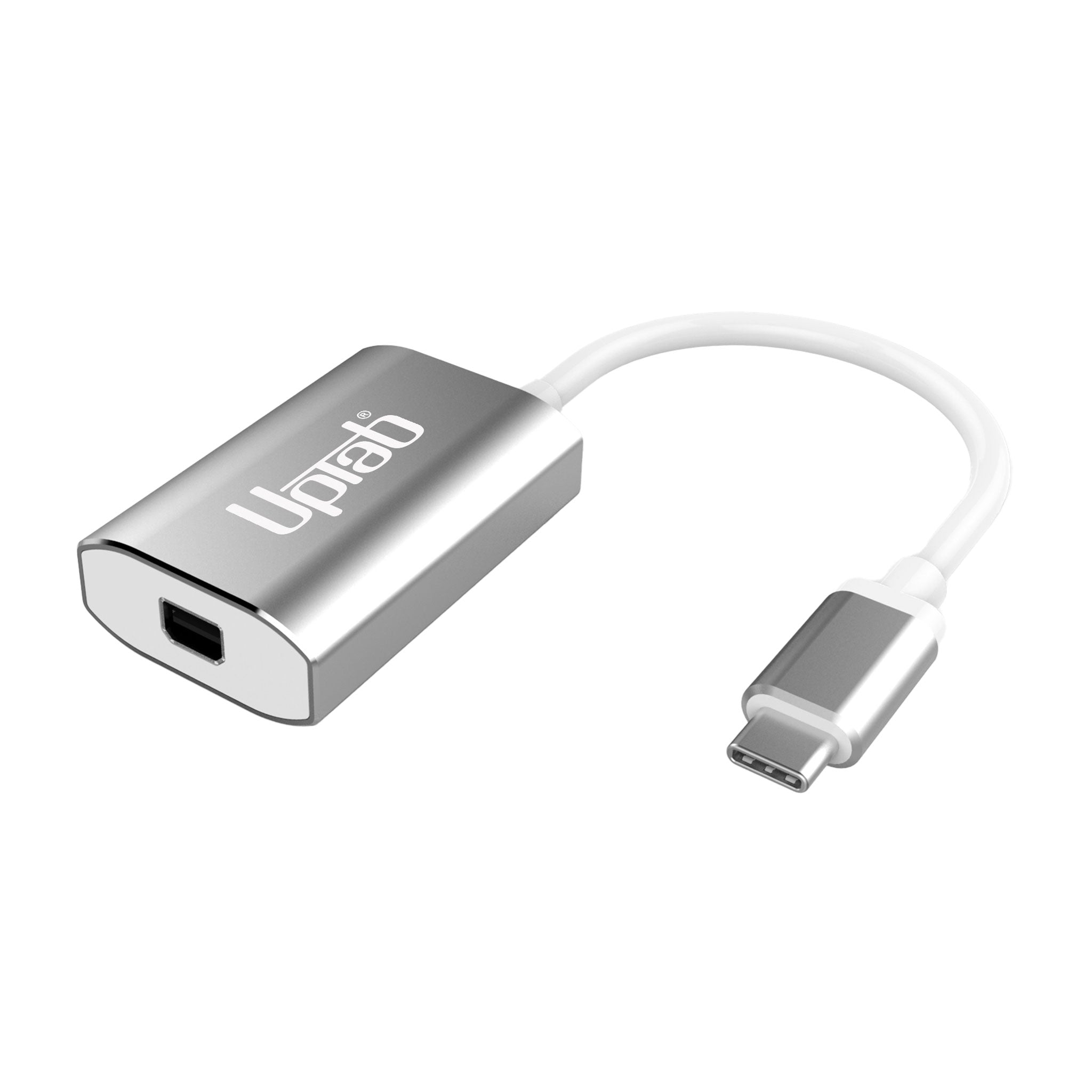
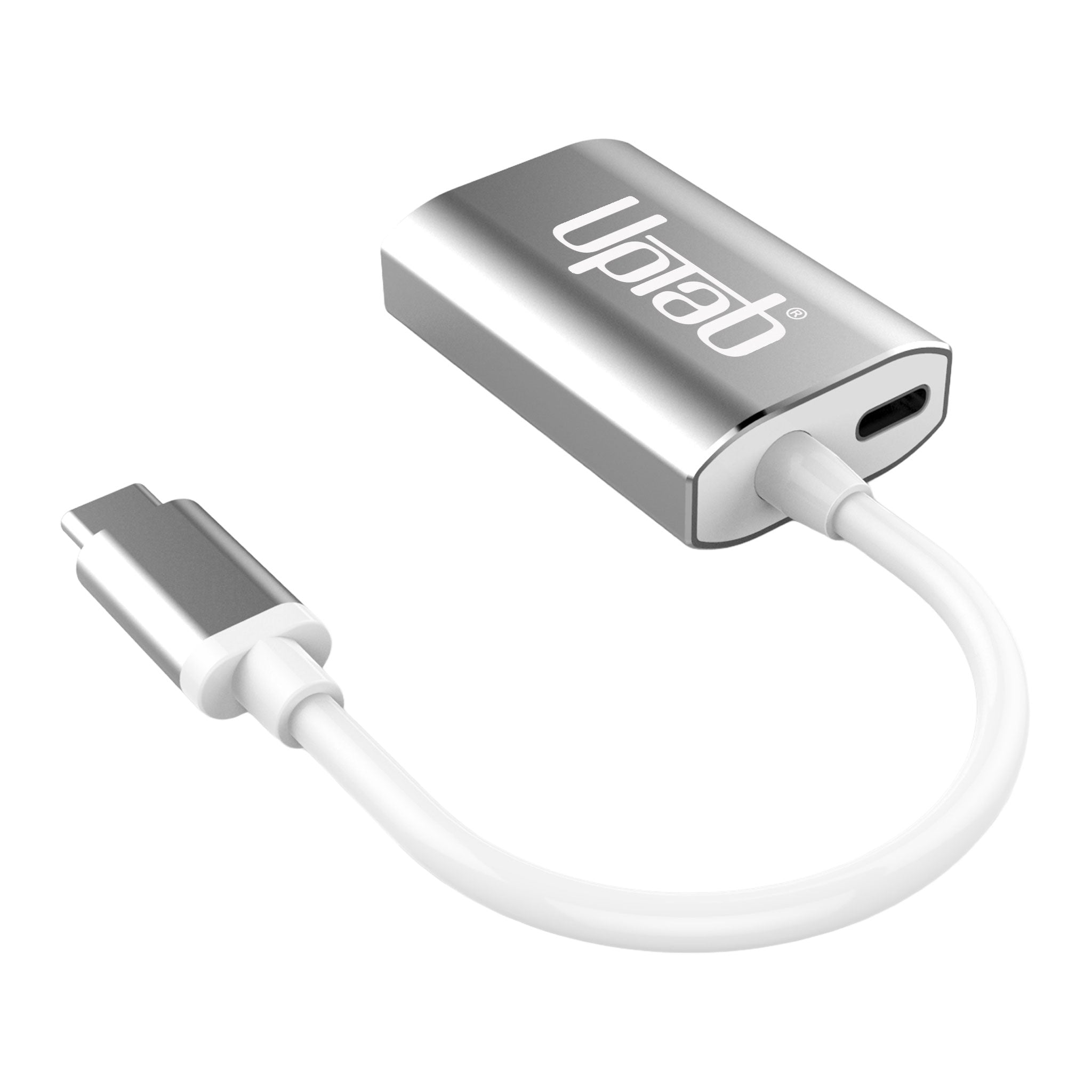
Adaptador USB-C a Mini DisplayPort 4K a 60 Hz - Plateado
About this item
Combina bien con
ENVÍO EL MISMO DÍA. Haga su pedido antes de las 11 a. m. (EST)
Envío gratuito en pedidos superiores a $50
Apoyo técnico
Devolución en 30 días
Garantía de 1 año
Adaptador USB-C a Mini DisplayPort 4K a 60 Hz - Plateado
Detalles del producto
Desbloquea todo el potencial de tu pantalla con el Adaptador UPTab USB-C a Mini DisplayPort 4K@60HzDiseñado para profesionales, creadores y usuarios cotidianos, este adaptador compacto es el El único adaptador Mini DisplayPort del mercado con puerto de alimentación USB-C.Esto significa que puedes cargar tu portátil mientras usas el adaptador, lo que libera los demás puertos USB-C para unidades de almacenamiento, periféricos o accesorios.
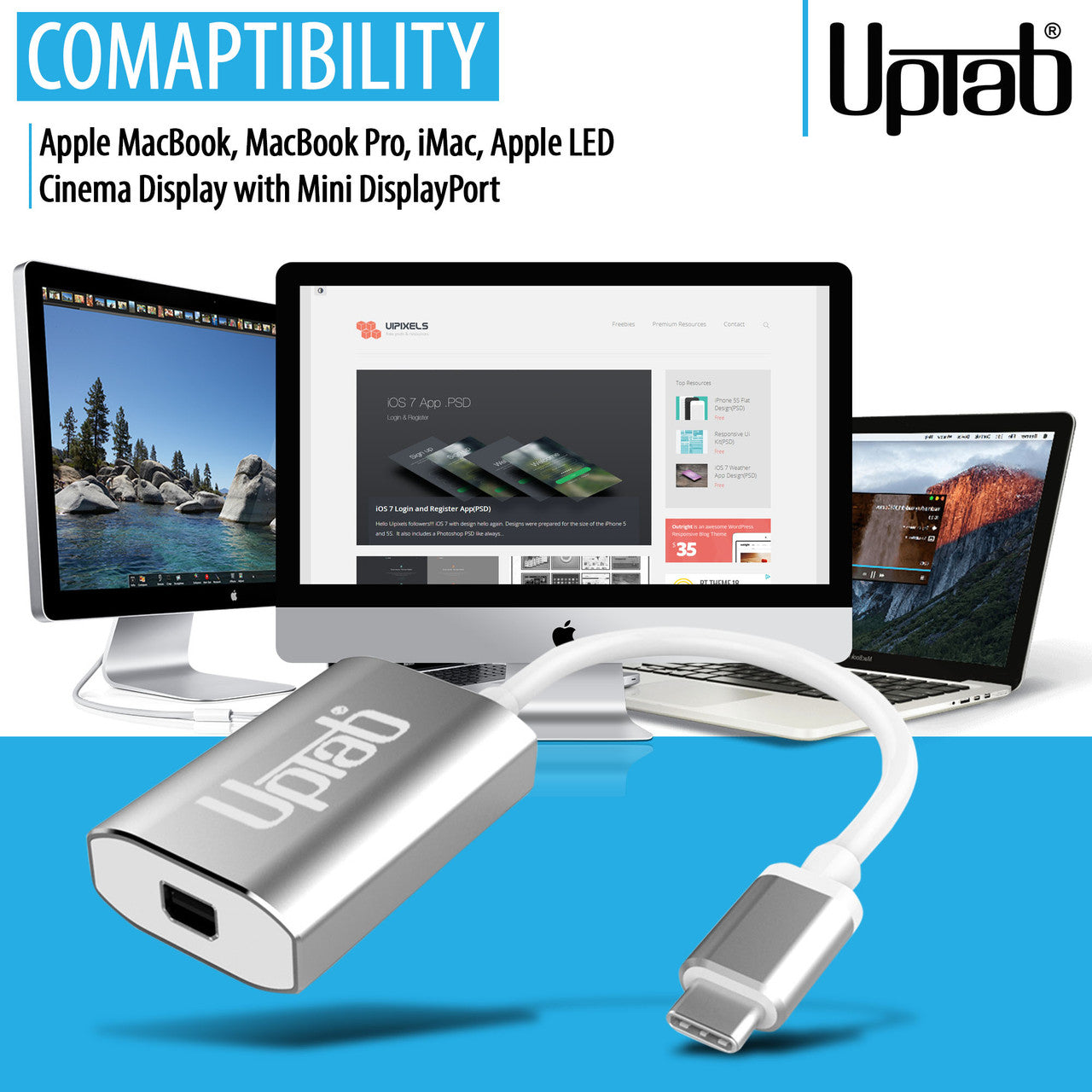
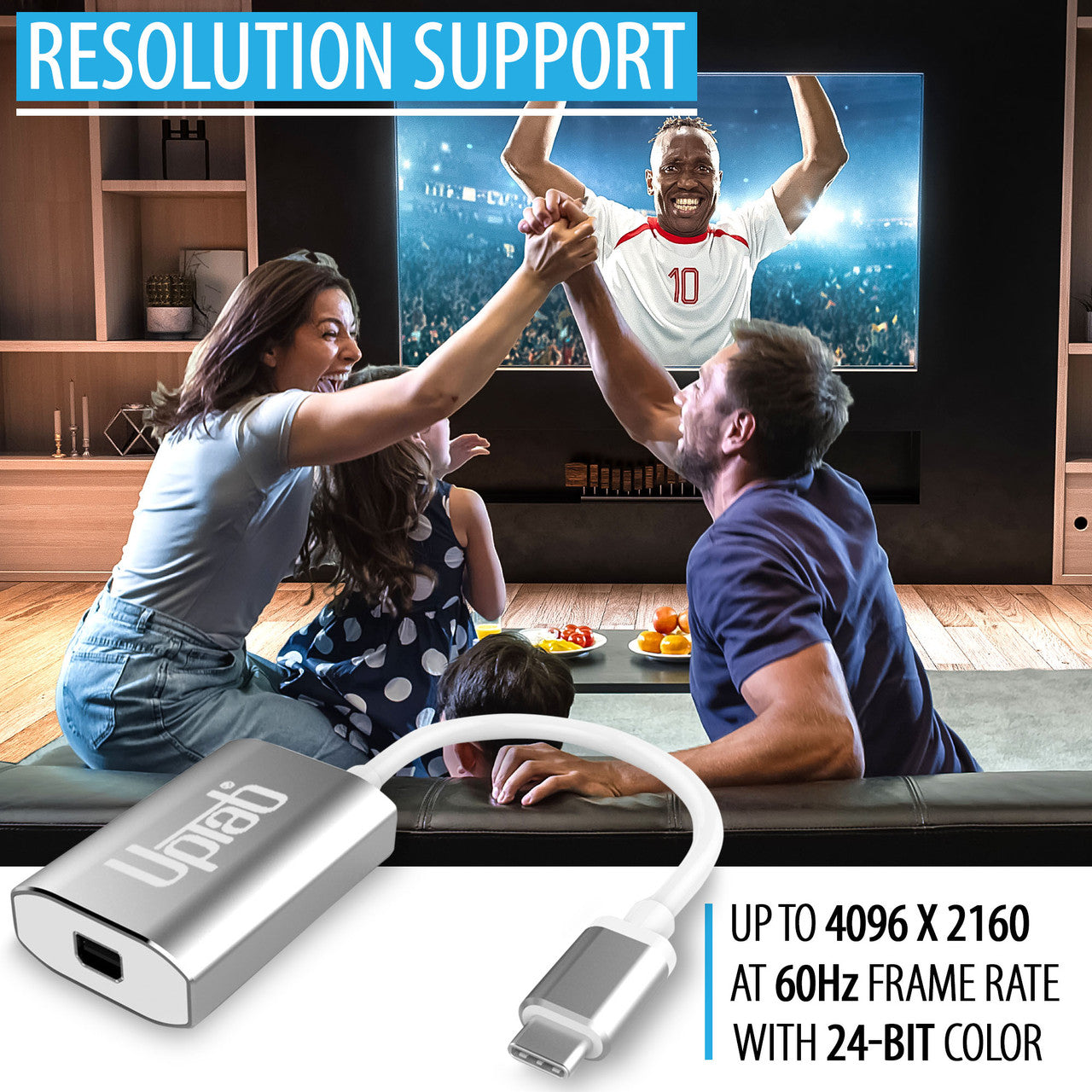
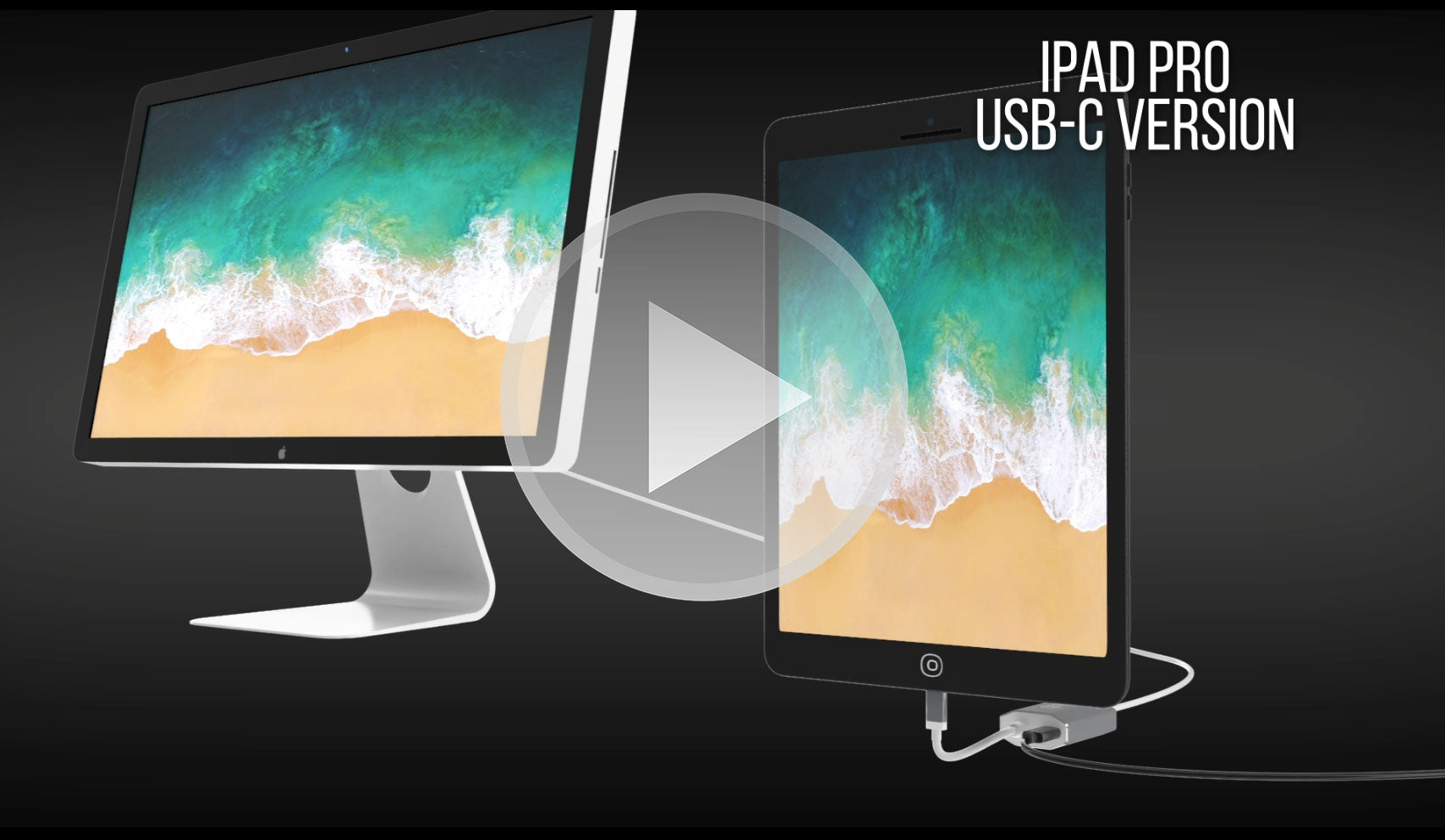
A diferencia de los adaptadores genéricos, la ingeniería de precisión de UPTab garantiza un funcionamiento suave. Resolución Ultra HD 4K a 60 Hz Con audio de 8 canales, latencia cero e imágenes nítidas. Su resistente carcasa de aluminio garantiza una disipación de calor superior y una mayor fiabilidad. Es la solución ideal para conectar tu MacBook, iPad Pro, Chromebook o PC a monitores Mini DisplayPort antiguos, incluido el clásico Apple Cinema Display.
-
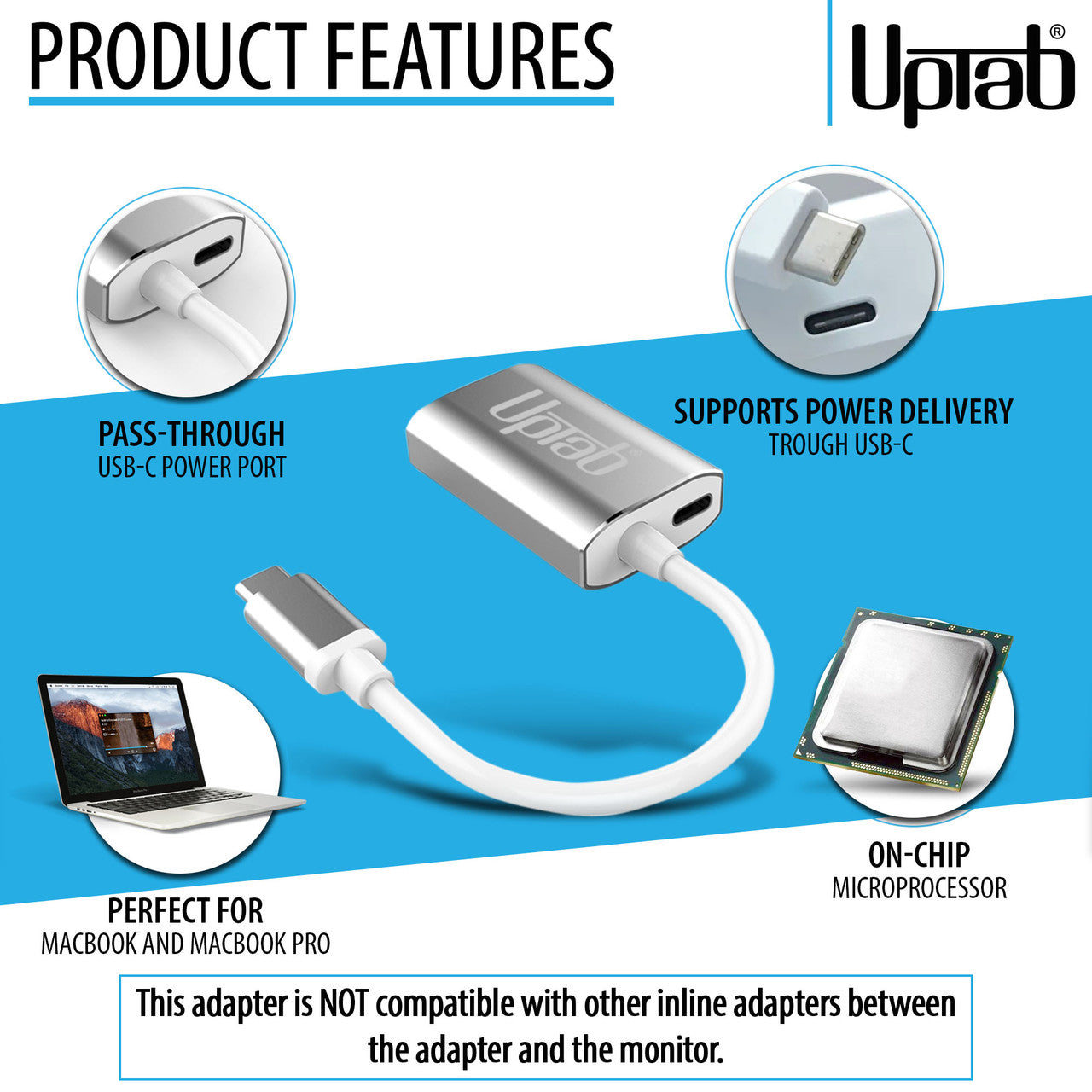
Carga y conexión simultáneas – Su exclusivo diseño con paso de alimentación USB-C le permite cargar su computadora portátil mientras usa una pantalla Mini DisplayPort.
-
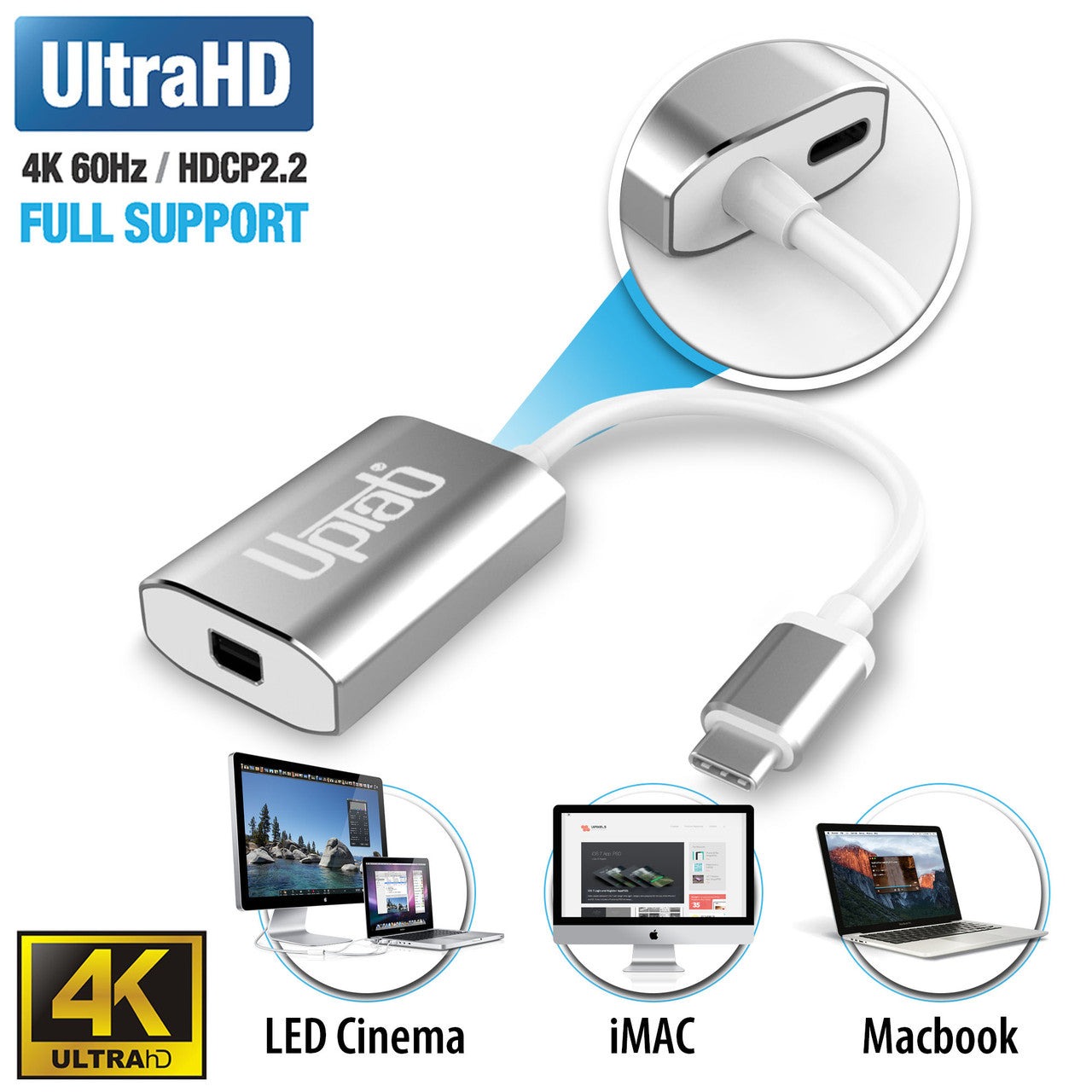
Imágenes impresionantes – Soporte Ultra HD 4K a 60 Hz Para una reproducción de vídeo fluida, juegos y edición profesional.
-
Amplia compatibilidad con dispositivos – Funciona a la perfección con Apple MacBook Pro/Air, iPad Pro, iMac, Mac Mini, Chromebooks, Lenovo, HP y más.
-
Ingeniería preparada para el futuro – Diseñado para cumplir con el modo alternativo DP 1.4, admitir HDCP 1.4/2.2 y reducir las interferencias electromagnéticas de forma avanzada.
-
Construcción de primera calidad – Carcasa de aluminio resistente para la disipación del calor y una fiabilidad duradera.
-
Portátil y fácil de transportar – Diseño ligero y compacto, perfecto para profesionales y estudiantes que se desplazan con frecuencia.
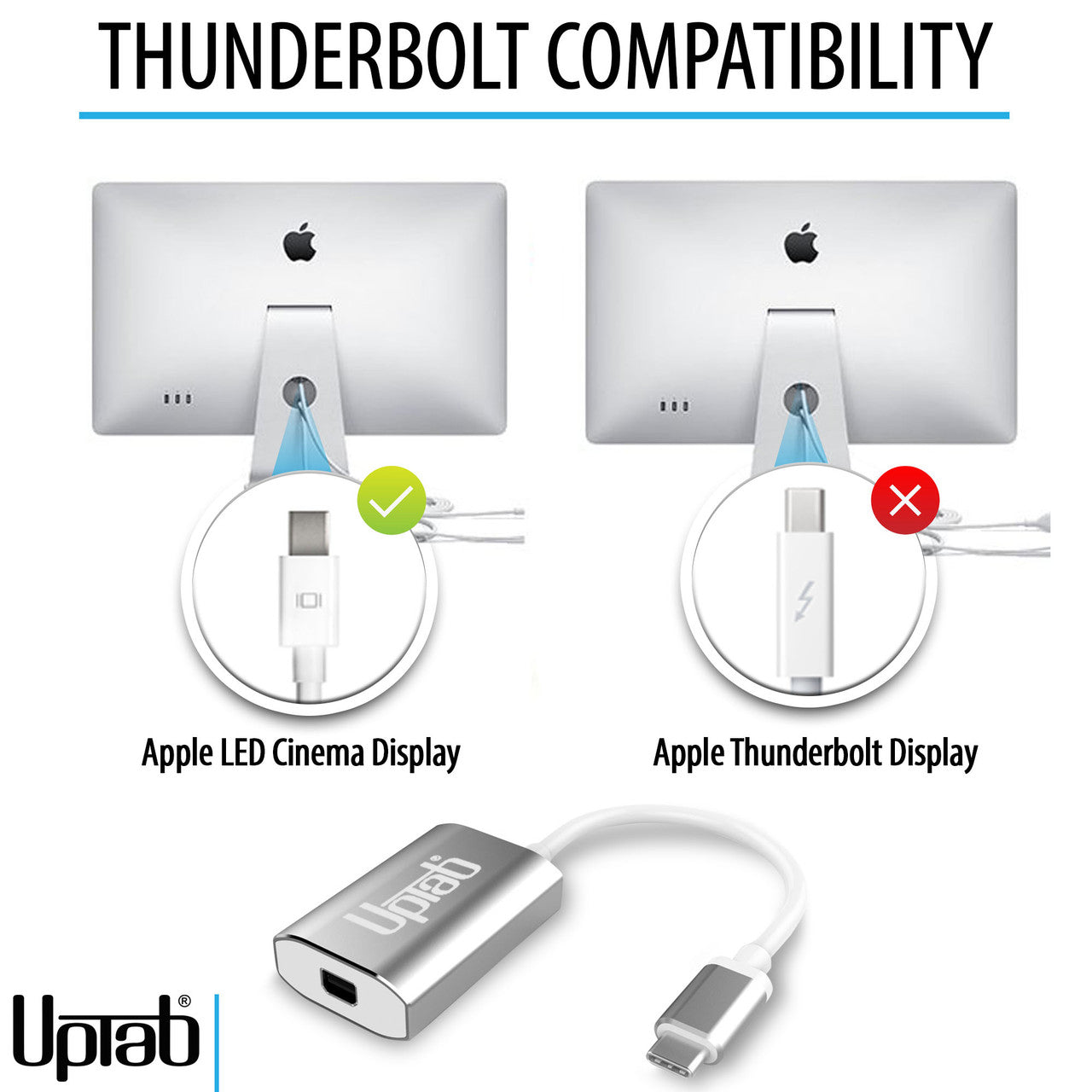
Solo puede convertir la señal de USB-C (Tipo-C) a Mini DisplayPort. No es un adaptador bidireccional. Este adaptador NO es compatible con Intel Thunderbolt 2.
Aprende a identificar si tu pantalla Apple usa Mini DisplayPort o Thunderbolt, qué pantallas Apple Cinema Display son compatibles y cómo conectarlas a portátiles modernos con USB-C y Thunderbolt usando el Adaptador USB-C a Mini DisplayPort de UPTab
Reflejos:
- Diseño pequeño y compacto
- Color plata elegante
- Autoalimentado: no requiere alimentación externa
- Se conecta a Mini DisplayPort
- Carcasa de aluminio: excelente disipación del calor.
- Paso de suministro de energía para carga
- Admite resolución Ultra HD 4K a 60 Hz
- Compatible con Apple MacBook, Google Chromebook Pixel y más
- Incluye microprocesador en chip con ROM SPI interna
- Admite formatos de protección de contenido HDCP 1.4 y HDCP 2.2
- Función de repetidor HDCP 1.4 y HDCP 2.2 con claves en chip
- Admite codificación TMDS para reducción de EMI/RFI
- Admite SCDC (canal de datos de estado y control)
- Soporte de audio de hasta 8 canales LPCM
Dispositivos compatibles:
- Apple MacBook Pro M1 y posteriores, incluidos los nuevos M4 Pro y M4 Max de 14/16"
- Apple MacBook Air M3 y posteriores
- Apple iPad Pro con USB-C y posterior
- Apple iMac 2017 y posteriores
- Apple Mac Mini M1 y posteriores
- Apple Mac Pro 2019 y posteriores
- Teléfonos inteligentes y tabletas Android con USB-C
- Google Pixel
- Chromebooks de Google con USB-C
- Portátiles Lenovo con USB-C
- Portátiles HP con USB-C
- Cualquier computadora con Thunderbolt 3 y USB 4.0
Teléfonos inteligentes y tabletas que admiten salida de vídeo: Lista completa
Si tiene alguna pregunta, no dude en contactarnos. Le responderemos lo antes posible, en un plazo de 24 horas entre semana.
-
Información de envío
Procesamos y enviamos la mayoría de los pedidos el mismo día. Los plazos de entrega varían según el método de envío seleccionado al finalizar la compra. Asegúrate de que tu dirección de envío sea correcta para evitar retrasos.
-
Atención al cliente
¡Nuestro equipo está aquí para ayudarte! Si tienes alguna pregunta o necesitas ayuda, contáctanos por correo electrónico o a través de nuestro formulario de contacto. Nos pondremos en contacto contigo lo antes posible.
-
Preguntas frecuentes
¿Cuándo se enviará mi pedido?
La mayoría de los pedidos se procesan y envían el mismo día. El tiempo de entrega depende de la opción de envío seleccionada al finalizar la compra.
¿Cuál es su política de devolución?
Los artículos pueden devolverse dentro de los 30 días en el embalaje original con todos los accesorios incluidos. -
Contáctenos
¿Tienes preguntas o necesitas ayuda? Estamos aquí para ayudarte.
Servicio al cliente disponible de lunes a viernes de 9 a. m. a 5 p. m. (EST)
Correo electrónico: cs@uptab.com
Teléfono: 1 (877) 333-1505
O utilice nuestro formulario de contacto : le responderemos a la brevedad.
Preguntas frecuentes
Preguntas frecuentes: Adaptador USB-C a Mini DisplayPort
Conecté el adaptador pero no hay imagen en mi monitor.
- Hay varias razones diferentes por las que el video no se muestra
- Su monitor es la versión Thunderbolt de Apple Cinema Display. Puede comprobarlo buscando el pequeño icono en el cable blanco que sale de su monitor. Si muestra un pequeño Thunderbolt, nuestro adaptador no funcionará. Si muestra un pequeño cuadrado con dos líneas a un lado, nuestro adaptador funcionará correctamente, ya que su monitor es la versión Mini DisplayPort de Apple Cinema Display.
Asegúrese de que su monitor Apple esté conectado a la alimentación y en funcionamiento.
¿Por qué no puedo controlar el brillo, el audio y la cámara iSight en mi Apple Cinema Display?
- Debes conectar el cable USB-A de tu Apple Cinema Display a tu computadora portátil para poder controlar el brillo, el audio y la cámara iSight.
Solo obtengo 4K a 30 Hz con el adaptador UPTab. ¿Cómo puedo obtener 4K a 60 Hz?
- Hay varias razones por las que una pantalla 4K podría estar limitada a 4K 30 Hz con nuestro adaptador. Recomendamos comprobar primero:
- El puerto de salida USB C debe ser compatible con DP1.4 ALT para obtener 4K a 60 Hz o DP1.2 para 4K a 30 Hz.
- Especificaciones del sistema para garantizar que el procesador gráfico interno pueda admitir 4K a 60 Hz y que el puerto de salida del sistema/GPU pueda admitir 4K a 60 Hz.
¿Este adaptador es compatible con MacBook Pro, MacBook Air, iPad Pro y otros dispositivos USB-C?
Sí, funciona con dispositivos USB-C y Thunderbolt 3/4 como MacBook Pro, MacBook Air, iPad Pro, Mac Mini, iMac y muchas computadoras portátiles con Windows que admiten salida de video a través de USB-C.
¿Necesito instalar controladores o software para que este adaptador funcione?
No se requieren controladores. Este adaptador es plug-and-play , por lo que, una vez conectado, la pantalla debería reconocerse automáticamente.
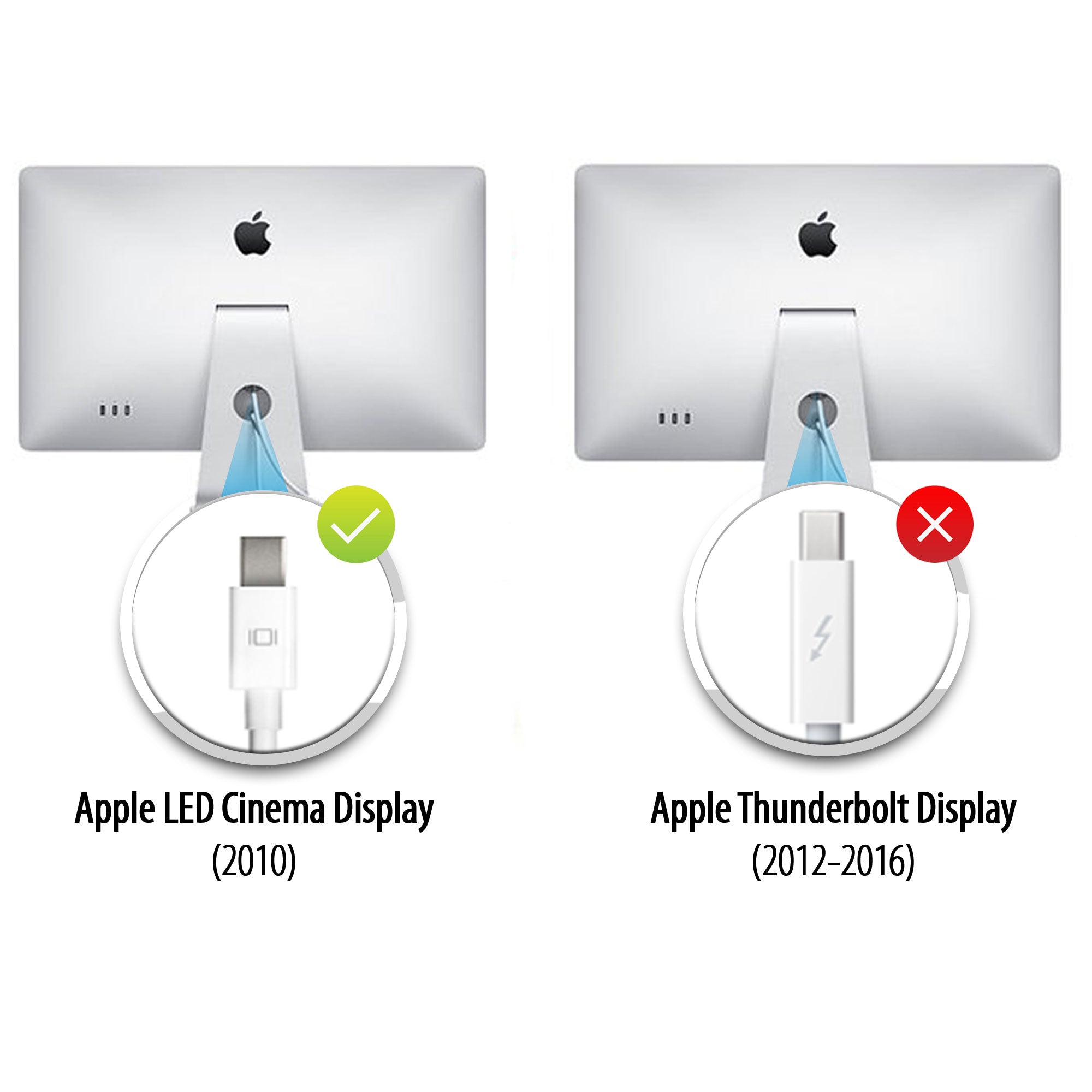
Pantallas de cine
Apple fabricó dos Cinema Displays de aspecto muy similar, pero se pueden distinguir por el logotipo del conector en el cable blanco:
- Apple Thunderbolt Cinema Display : el conector muestra un símbolo de rayo (⚡).
- Apple LED Cinema Display (Mini DisplayPort) : el conector muestra el logotipo de Mini DisplayPort (un cuadrado con dos líneas verticales en cada lado).
Observar este pequeño logotipo en el cable es la forma más sencilla de distinguir entre los dos modelos.
Doesn’t work

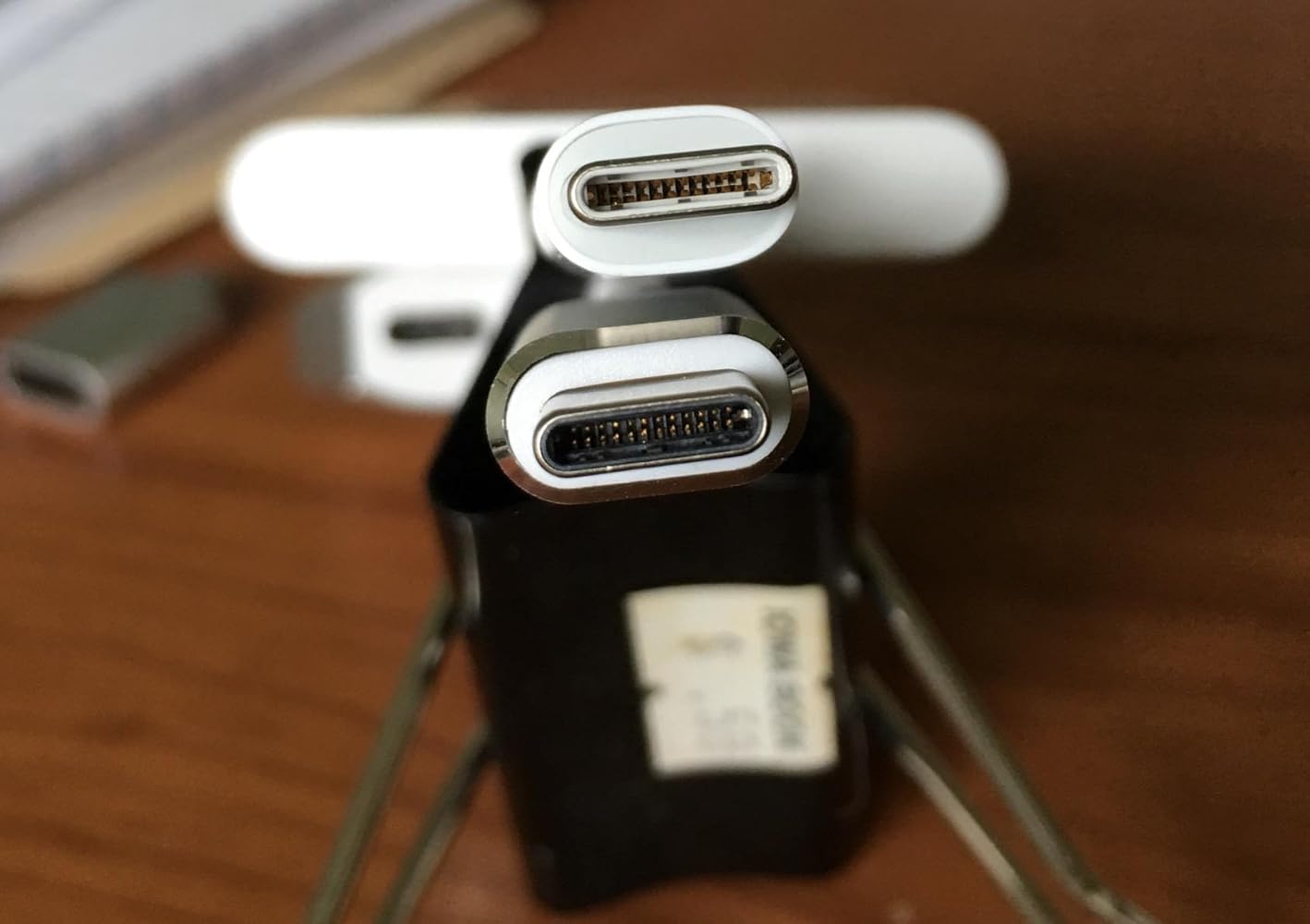
The adapter is larger than the other usb-c adapter from Apple, see the above picture,the upper one is from Apple. What a joke! Can not get a decent quality adapter! One usb-c port of my mcbook pro was ruined due to this. Do not buy.
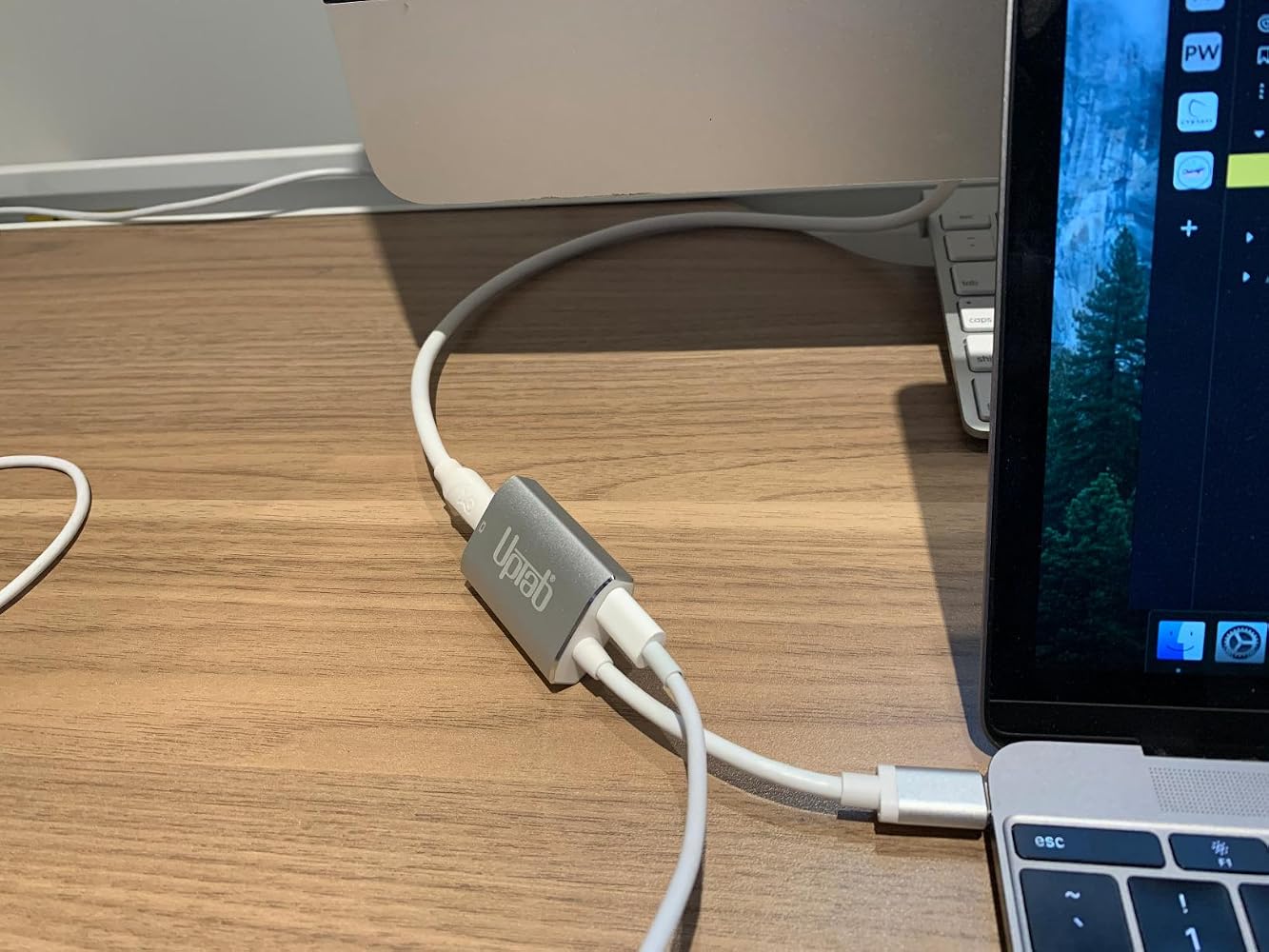
If you are using this adapter out a Mac Mini to your old Apple Cinema Display (mine is from 2010)….I’ll save you some frustration… Internet searching… and UpTab help email when this gizmo DOESN’T WORK. The UpTab adapter is NOT an all-in-one adapter. It ONLY transfers IMAGE out your Mac Mini M2 to your Cinema Display: NOT AUDIO…. Or at least not enough to really hear. You will need to ALSO plug in the USB connector from your Cinema Display INTO the Mac Mini USB port as pictured in these photos. THEN…. you will have full audio Mac Mini to Cinema Display. I did not realize that this UpTab adapter was just basically a video only adapter when it comes to my Apple Cinema Display. Once I found this out, everything worked perfectly.


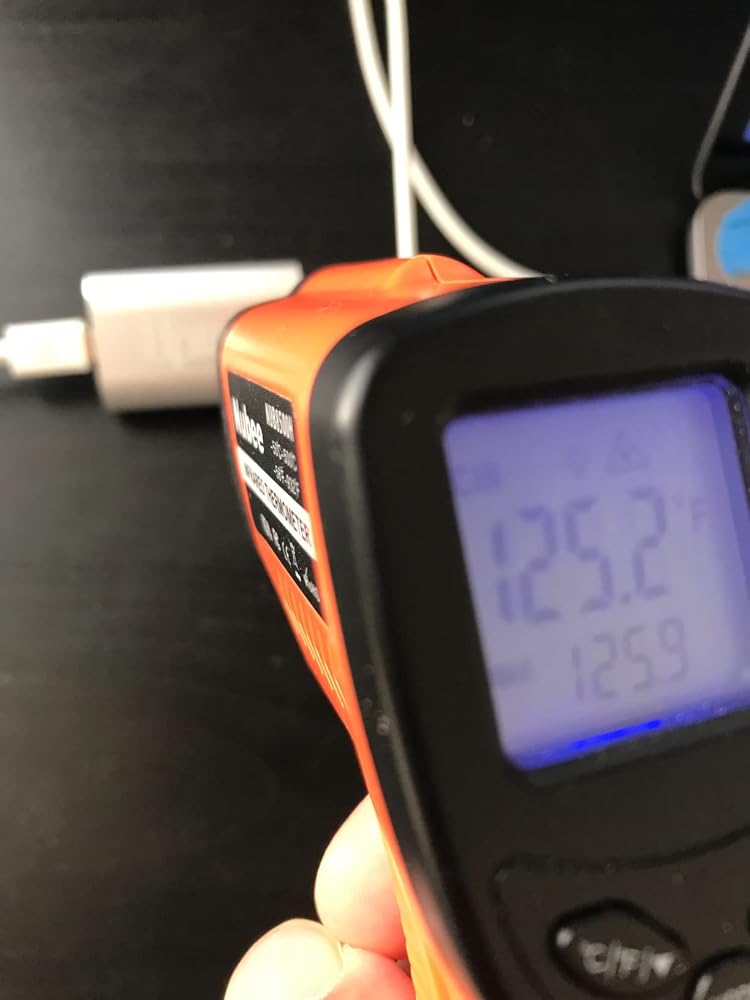
It's super hot on the adaptor's surface (125 'F). Perhaps add a fan or peltier to cool down the heat.

Help! There is not an option to adjust the brightness on my cinema display in the system preferences menu.

Works perfect with M1 Max 16" to Apple LED Cinema Displays with Mini Display PortI'm running two of them via the left two Thunderbolt/usb-c ports and there are no visible issues with the LED Cinema Displays. There is no brightness control that I can find though.


Got this to connect my 2016 Macbook 12" retina to a 2009 27" iMac as a secondary display, in TDM (target display mode.) Pugged it up with a mini displayport cable, pressed command + F2, and voila. I gained basically 4x more screen real estate. As young people say, it's amaze balls. 5/7 would buy again.
My MacBook Pro gave up the ghost and I had an old Apple Cinema Display in store ..... so I took the decision to get a new MacMini and see if it would all come togetherI had read many reviews of adaptors that “might or might not” connect the two .... and an article that highly recommended this particular connector although it cost a small amount moreI am very pleased that I did .... it has worked without a hitch ... and was well worth the extra trouble of getting it in from the US when I live in the UK
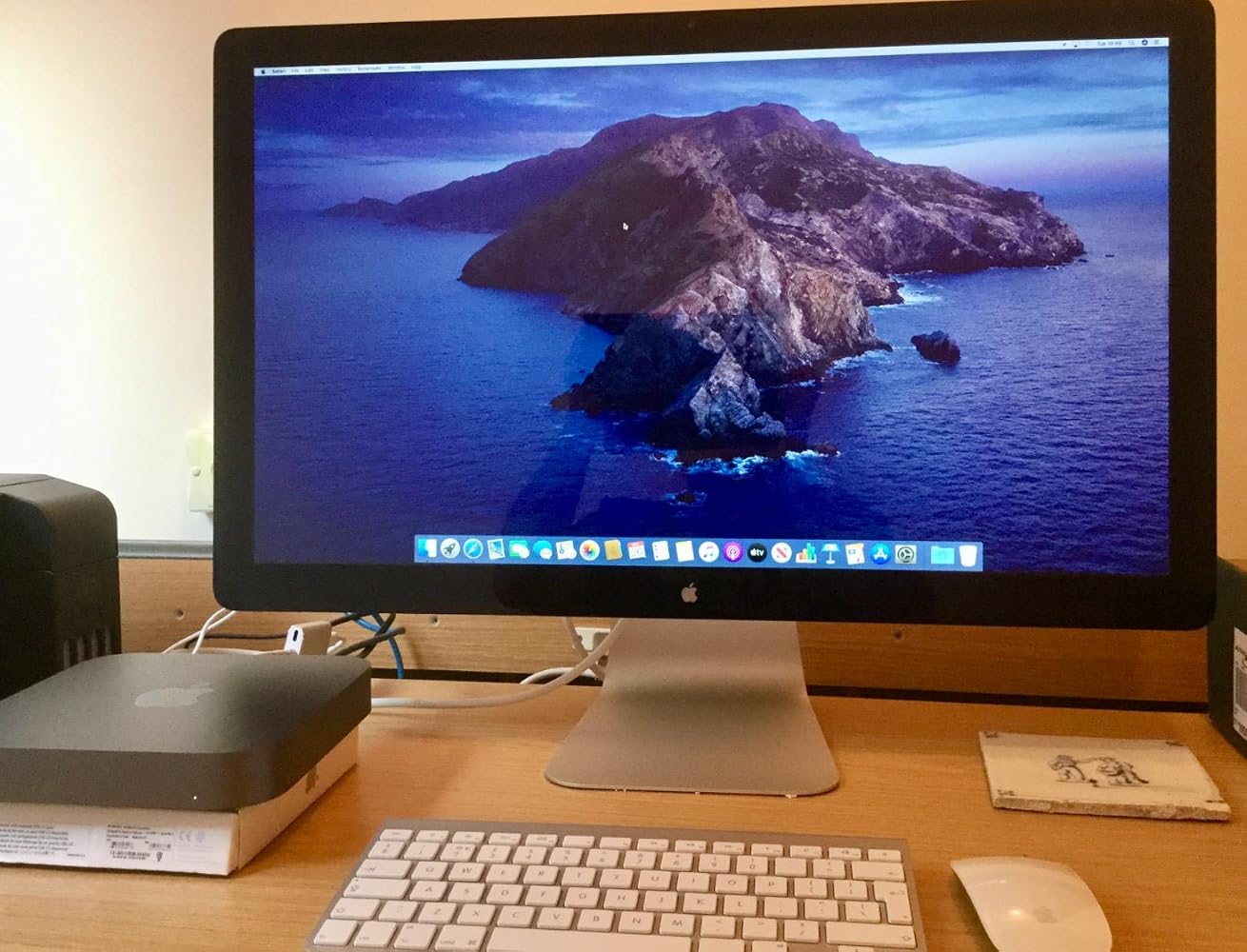
Used this to connect my 2010 Apple Cinema Display to my MacBook Pro 2017. It works and shows great. You have to keep your MacBook power cord plugged in and you will need a USB Adapter to get sound from the Cinema Display. I can now use my Cinema Display as a large monitor, or 2 separate screens. Note, this is not for the 27” thunderbolt displays. That specific model requires a Thunderbolt adapter (with the lightning symbol on it). This product= Perfect fit, and fast shipping.
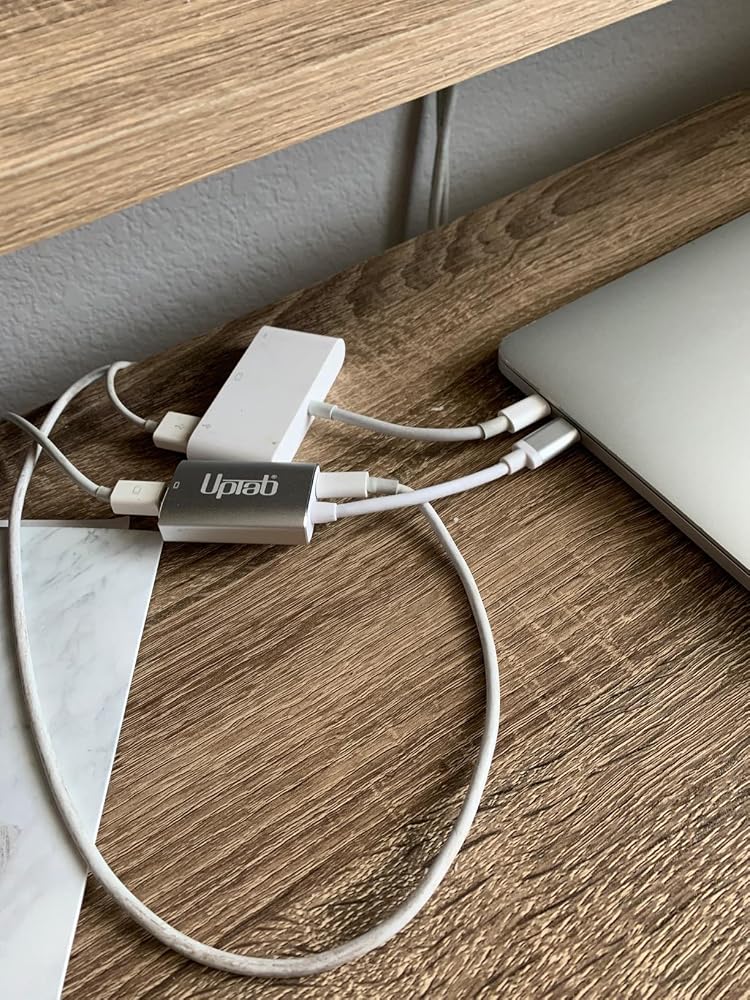
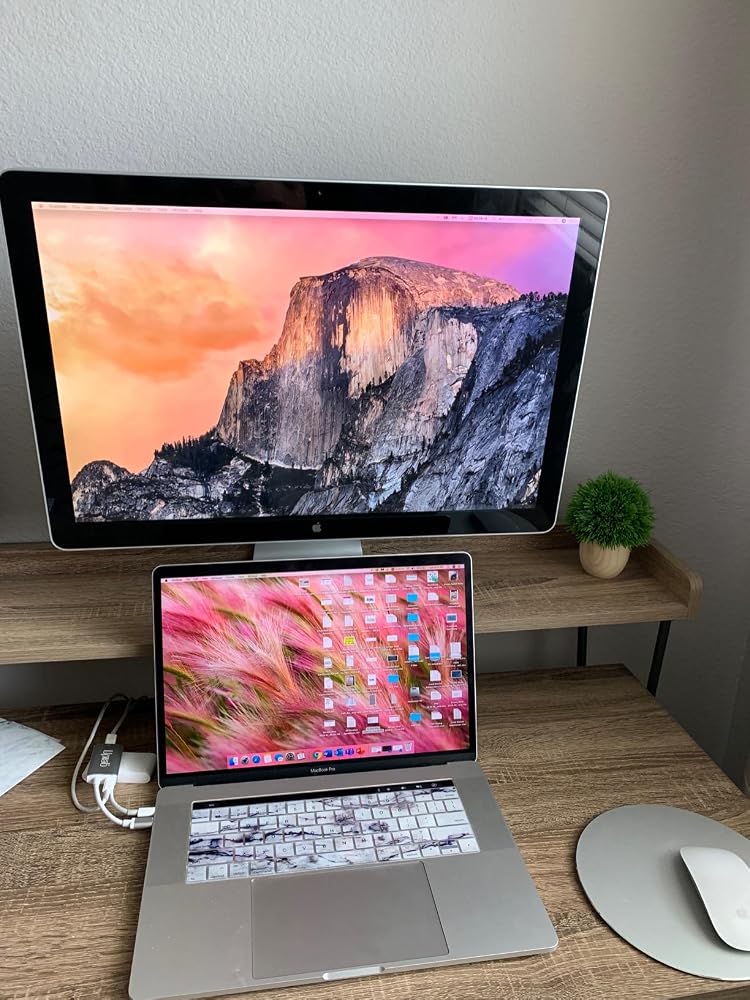
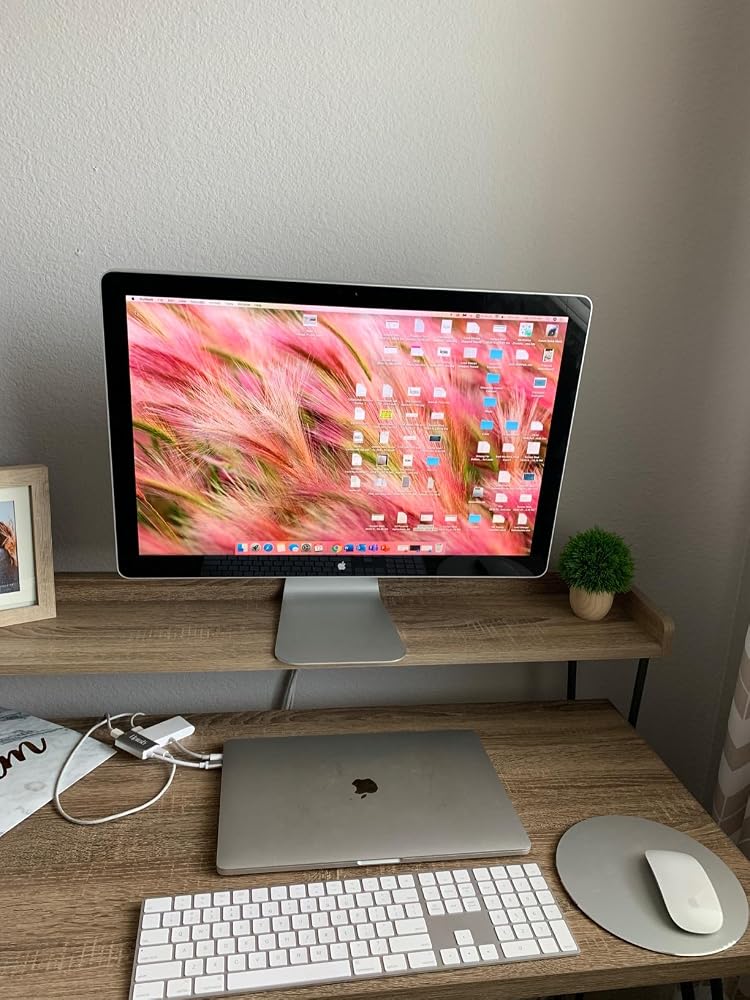
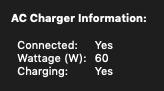
Minus 1 star for not listing the pass-through power wattage rating in the product specs/description.That said, 60 watts is charging my 2019 Macbook pro (which uses an 87W charger) when not under heavy strain. However, I'm fearful this lower wattage could be detrimental to the battery's overall lifespan.
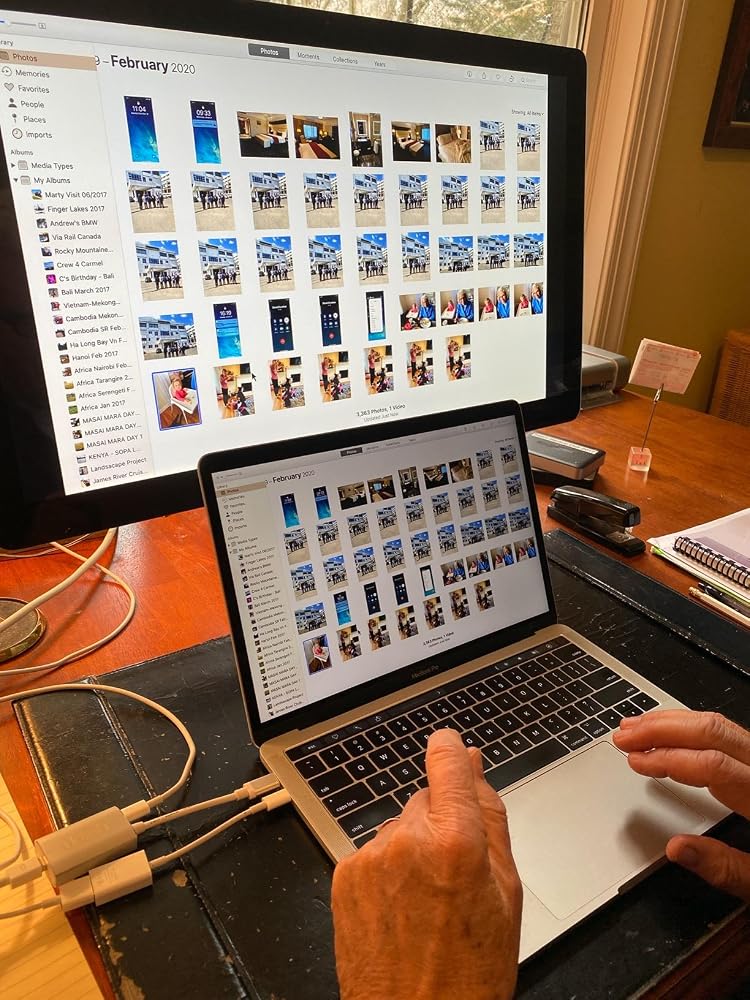
I am thrilled with this device! I thought our Apple LED Cinema Display was going to be unusable with a new MacBook with USB-C ports. We plugged the Cinema Display into the UPTab device, along with the USB-C power cord. Then, we used an Apple dongle to connect the USB cord from the Cinema Display to a USB-C port on the MacBook. Amazing! The laptop is charging. The screen works. All 3 USB ports on the back of the display work! Now, we just need to power up the keyboard and mouse and close the laptop! Thank you UPTab!!! I'll be ordering one more since we have another LED Cinema Display for a second laptop.
Very smooth experience from browsing and find product to finally getting the product shipment.
it was exactly what i needed :)
Great product! Good delivery.
It worked to run my old Apple Cine display from Macbook Air M3.
Funktioniert mit einem iMac 18,1 und einem Cinemadisplay perfekt
Very nice USB-C to Mini DisplayPort Adapter. It allowed me to use my Apple Cinema Display with my M1 Macbook Air. And with the addition of a power port I can charge my laptop at the same time without losing another port on the laptop.
It extended the usefulness of my Cinema Display
Seems to work perfectly to connect my old 30 in 2006 Apple Cinema Display via a mini display adapter to a USB-C port in my new Mac Mini. So happy to keep it going!
plug and play, allowed me to use apple 30" cinema display monitors with Apple studio
Works perfect
I bought this hoping it would let my co-worker use his old school headphones with audio jack on his new MacBook Pro with touchbar. Didn't work despite the ports being correct. Disappointed because trying to solve this has been quite a struggle.
Absolute garbage. Doesn’t work with my MacBook Pro. Doesn’t work with my 2018 iPad Pro. Total. Waste. Of. Money.Would return if I could but I ordered it months ago and only discovered it’s uselessness today.
Compré este adaptador para poder conectar mi mac book pro con la pantalla Cinema Display de Apple, sin embargo no fue posible
It did not work on a new MacBook Pro in driving an older Apple Cinema Display, and was returned.
Bought this to connect a MacBook Pro (15-Inch, 2017) to a Dell U2713HM monitor. The connection is very sensitive and unreliable. For example, I have to position the dongle in such a way to avoid a blank monitor.
I had basically the same experience as with a similar adaptor I bought, and I left a thorough review here that also applies to this adaptor (minus the updates as I haven't returned this one yet): https://www.amazon.com/gp/customer-reviews/R1SBG8XB5E0BYH/ref=cm_cr_arp_d_rvw_ttl?ie=UTF8&ASIN=B01N2ORP84
Envío gratuito en pedidos superiores a $50
Envío el mismo día en la mayoría de los pedidos