

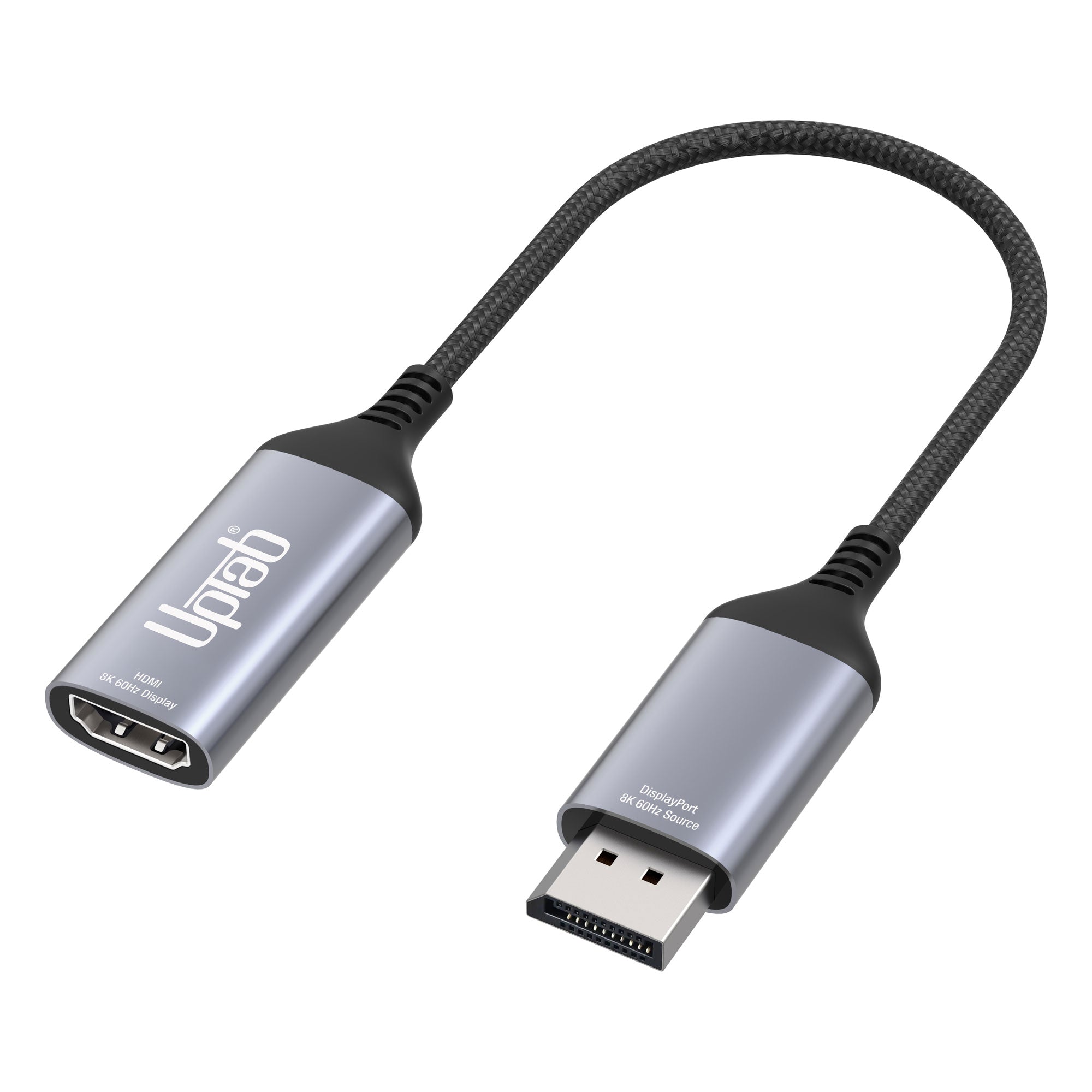
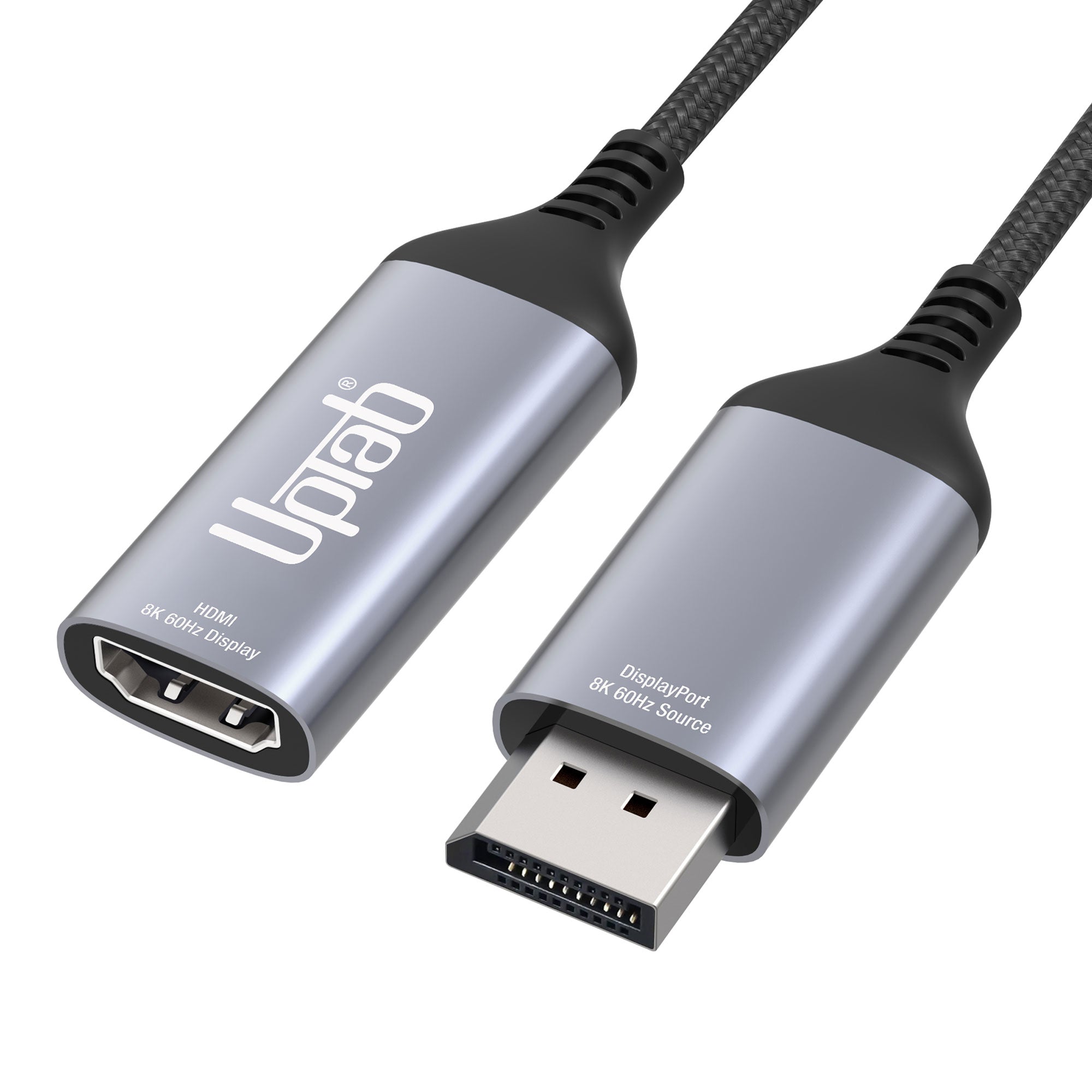
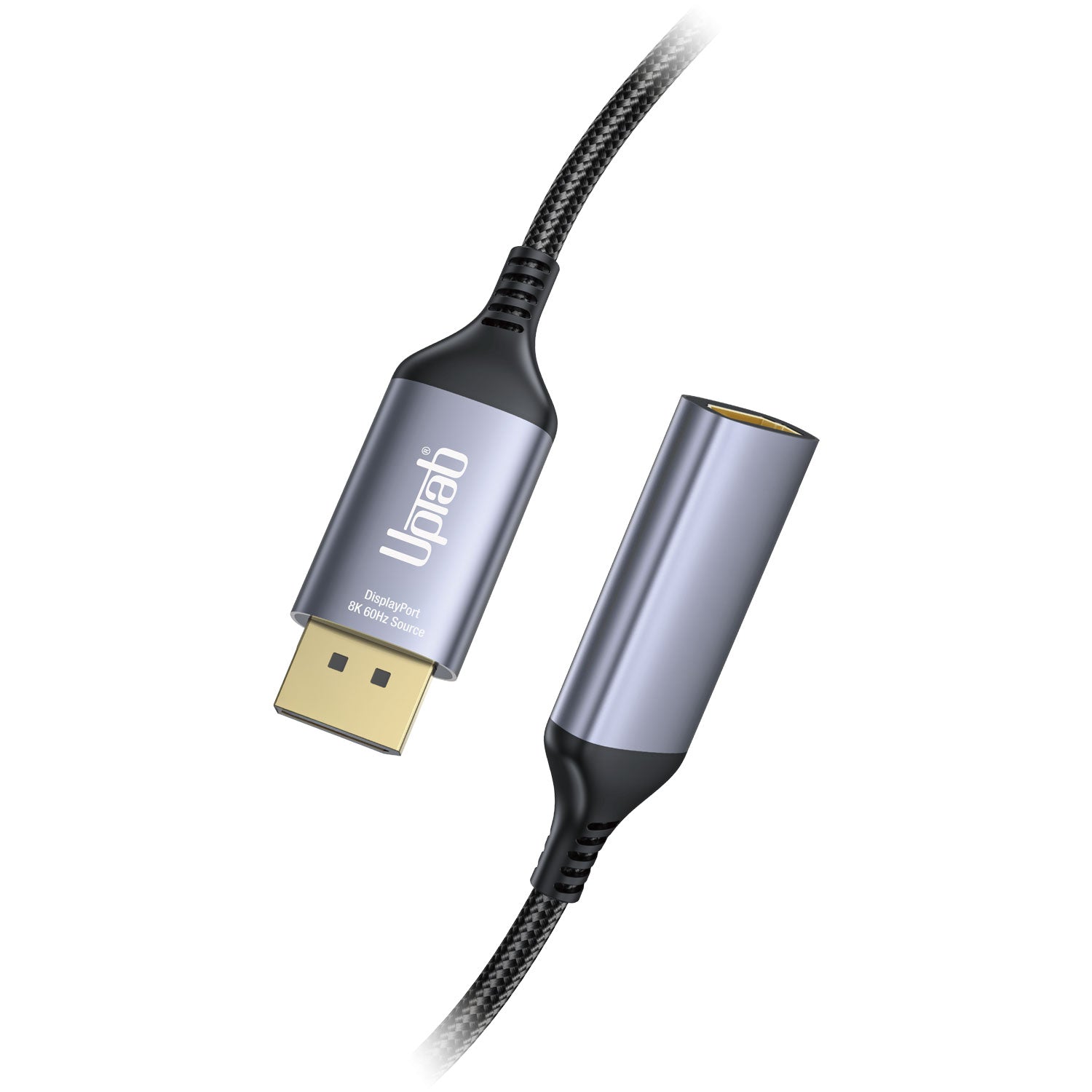
Adaptador activo DisplayPort 1.4 a HDMI 2.1 8K 60Hz HDR
About this item
Combina bien con
ENVÍO EL MISMO DÍA. Haga su pedido antes de las 11 a. m. (EST)
Envío gratuito en pedidos superiores a $50
Apoyo técnico
Devolución en 30 días
Garantía de 1 año
Adaptador activo DisplayPort 1.4 a HDMI 2.1 8K 60Hz HDR
Detalles del producto
Conéctate a una pantalla HDMI Ultra HD con Alto Rango Dinámico (HDR) desde una computadora compatible con DisplayPort con el Adaptador Activo DisplayPort. Diseñado específicamente para quienes disfrutan de la informática, los gráficos y los juegos de alto nivel. HDMI 2.1 de hasta 48 Gbps permite una reproducción de video 8K fluida, especialmente al combinarse con una velocidad de fotogramas de 60 Hz y HDR, creando colores y movimientos realistas y brindando a los usuarios la experiencia visual definitiva. Convierte la señal de video DisplayPort a hasta 8K 7680×4320 a 60 Hz con DSC o 4K 4096x2160 a 120 Hz con DSC, incluyendo 1440p a 240 Hz. Lo mejor de todo es que el Adaptador Activo DisplayPort es extremadamente fácil de usar y transportar gracias a su tamaño portátil. Autoalimentado, no requiere alimentación externa.
Por último, pero no menos importante, el adaptador activo DisplayPort admite el formato de color 4:4:4, lo que garantiza colores RGB vibrantes y auténticos, así como HDR sin la típica degradación visual del color. El audio tampoco es un problema, gracias a la transmisión de hasta 8 canales de audio para un sonido inmersivo.
* ¡Actualice el firmware de su televisor a la versión que admita estas resoluciones/frecuencias de actualización!
** Actualice los controladores gráficos en su PC y asegúrese de que DSC1.2 sea compatible con sus dispositivos para soportar estas resoluciones/frecuencias de actualización.
Este producto está diseñado específicamente para funcionar con las unidades de procesamiento gráfico (GPU) más recientes, compatibles con DSC 1.2. Al momento de la publicación, estas son las GPU compatibles:
NVIDIA RTX: TITAN RTX, RTX 2060, RTX 2070, RTX 2080, RTX 3060, RTX 3080, RTX 3090, RTX 4090, RTX 4080
AMD Radeon: RX 6000, RX 7900 XTX
CUADRO: RTX8000, RTX6000, RTX5000, RTX4000, RTX3000 MÓVIL
Gen basada en Intel 11/12: Lago Alder, Lago Tiger, Lago Ice, Gráficos Iris Plus, Gráficos UHD
Reflejos:
- Ideal para jugadores y otros que requieren informática de alto nivel.
- Admite formato de color 4:4:4 con colores RGB claros
- Audio a audio de 8 canales
- HDMI 2.1 en todo momento hasta 48 Gbps
- Diseño pequeño y portátil
- Cable multiblindado con cuerpo de aluminio
- Convierte la señal de video DisplayPort hasta UHD 8K 7680×4320 a 60 Hz o 4K 4096x2160 a 120 Hz, incluido 1440p a 120 Hz
General:
- Receptor compatible con VESA DisplayPort (DP) v1.4
- Transmisor compatible con especificación HDMI v2.1, velocidad de datos hasta modo FRL hasta 12 Gbps por canal y modo TMDS hasta 6 Gbps.
- MCU integrado
- EDID integrado. Respuesta al EDID si el dispositivo terminal no lo tiene.
- Admite HDCP1.4 y HDCP2.3 con claves en chip para admitir repetidor HDCP.
- Admite RGB 4:4:4 8/10 bits bpc y YCbCr 4:4:4, 4:2:2, 4:2:0 8/10 bits bpc
- Admite decodificador DSC v1.2a y modo de paso directo
- Admite resolución/sincronización máxima de hasta 8K a 60p/4K a 120 Hz
- Admite transporte de formato de vídeo estéreo 3D
- Admite conversión de espacio de color
- Admite formato de audio LPCM con una frecuencia de muestreo de audio máxima de hasta 8 canales a 192 KHz
- Admite formato de audio HBR de hasta 2 canales a 768 KHz
- Admite formato de audio 3D de hasta 16 canales a 96 KHz
- Admite CEC a través del canal AUX
- Admite alto rango dinámico (HDR-10)
- Compatible con el conjunto de comandos de control del monitor VESA (MCCS)
- Admite CEC a través del canal AUX
- Temperatura de funcionamiento hasta 70 °C/158 °F
Especificaciones técnicas:
- Aporte: Compatible con DisplayPort (DP) v1.4
- Admite 1/2/4 carriles de entrada hasta HBR3 (8,1 Gbps)
- Ecualizador adaptativo de alto rendimiento incorporado
- Admite canal AUX de 1 MHz
- Admite DSC v1.2a y es compatible con versiones anteriores
- Admite decodificador DSC y modo de paso directo
- Admite resolución/sincronización máxima de hasta 8K a 60p/4K a 120 Hz
- Admite CEC a través del canal AUX
- Admite formato de audio LPCM con una frecuencia de muestreo de audio máxima de hasta 8 canales a 192 KHz
- Admite formato de audio HBR de hasta 2 canales a 768 KHz
- Admite formato de audio 3D de hasta 16 canales a 96 KHz
- Producción: HDMI 2.1 hembra; Un cable HDMI 2.1 de ultra alta velocidad (se vende por separado) se requiere
- Admite una resolución/sincronización máxima de hasta 8K a 60p/4K a 120 Hz con DSC
- Transmisor compatible con HDMI 2.1, velocidad de datos hasta modo FRL hasta 12 Gbps por canal y modo TMDS hasta 6 Gbps.
- Formatos de codificación LPCM y audio comprimido
- Admite formato de audio LPCM con una frecuencia de muestreo de audio máxima de hasta 8 canales a 192 KHz
- Admite formato de audio HBR de hasta 2 canales a 768 KHz
- Admite formato de audio 3D de hasta 16 canales a 96 KHz. Compatible con DSC v1.2a y con versiones anteriores.
- Admite el modo de paso DSC
- Manejo de transmisiones de audio
En el cuadro:
- 1 adaptador activo UPTab DisplayPort 1.4 a HDMI 2.1 4K/120Hz HDR
- 1 año de garantía
Aquí hay una guía rápida sobre cómo utilizar este adaptador:
- Conecte el extremo DisplayPort del adaptador a su computadora u otro dispositivo. Asegúrese de que la conexión sea segura.
- Conecte el extremo HDMI del adaptador a su televisor o monitor. Asegúrese de que la conexión sea segura.
- Encienda su televisor o monitor y configúrelo en la entrada HDMI correcta.
- En su computadora o dispositivo, asegúrese de que la resolución y la frecuencia de actualización estén configuradas para coincidir con las del televisor o monitor.
- Comprueba si tu dispositivo admite HDR. Si es así, debes habilitarlo en la configuración.
- Disfrute de su contenido de alta resolución y alta frecuencia de actualización.
Descargar FICHA TÉCNICA PDF: Aquí
P: Solo obtengo 4K a 60 Hz con el adaptador UPTab Active. ¿Cómo puedo obtener 4K a 120 Hz?
Hay varias razones por las que una pantalla 4K podría estar limitada a 4K a 30/60 Hz con nuestro adaptador. Recomendamos comprobar primero:
- El puerto de salida DisplayPort debe ser compatible con DP 1.4 para obtener 4K a 120 Hz con HDR.
- Especificaciones del sistema para garantizar que el procesador gráfico interno pueda admitir 4K a 60 Hz y que el puerto de salida del sistema/GPU pueda admitir 4K a 60 Hz.
- Especificaciones del monitor para garantizar que admita 4K a 120 Hz desde el puerto de entrada deseado. Los puertos de entrada HDMI deben ser compatibles con HDMI 2.1.
- Para que funcione HDR, el sistema de origen debe ser compatible con DisplayPort 1.4 y la pantalla debe ser compatible con HDR y/o HDMI 2.1.
- Asegúrese de que el cable HDMI tenga certificación HDMI 2.1.
Si tanto la GPU del sistema, el puerto de salida DisplayPort y el monitor afirman ser compatibles con 4K a 120 Hz, verifique la configuración del Adaptador de pantalla avanzado de Windows para asegurarse de que 120/60 Hz esté disponible y seleccionado en la lista desplegable.
Si no aparece la opción de 120 Hz y está conectado a nuestro adaptador con un cable HDMI 2.1, verifique que el monitor tenga puertos HDMI 2.1. Además, algunos televisores y monitores 4K deben tener activada la opción "HDMI 2.1", "HDMI UHD Color" o "Ultra HD/UHD Deep Color" (o similar) para que la resolución 4K a 120/60 Hz funcione a través de HDMI. Consulte el manual del monitor y revise la configuración del menú para ver si hay alguna opción aplicable.
El adaptador UPTab es realmente activo. En lugar de depender del paso de una señal TMDS a través del modo dual de DisplayPort, los adaptadores convierten activamente los paquetes LVDS salientes de DisplayPort en la señalización TMDS necesaria. Con una frecuencia de reloj interna de hasta 594 MHz, nuestros adaptadores son compatibles con todas las características esenciales de HDMI 2.1, con resoluciones de hasta 4K a 120 Hz con HDR, compatibilidad con 3D estereoscópico y mayores profundidades de color.
P: ¿El adaptador UPTab (B014E8ZC7E) admite configuraciones AMD Eyefinity de más de dos monitores?
¡Sí! AMD Eyefinity permite hasta dos conexiones de pantalla tradicionales (HDMI, DVI o VGA). La tercera conexión debe ser DisplayPort nativo, es decir, no un modo dual/DP++ con señal HDMI (ya que se consideraría una de las dos pantallas tradicionales). Al usar nuestro adaptador activo, la tarjeta gráfica no necesitará utilizar una de las conexiones tradicionales, sino que la gestionará como una pantalla DisplayPort nativa. (Nota: según AMD, sus tarjetas gráficas admiten un máximo de dos adaptadores activos).
P: ¿El adaptador UPTab (B014E8ZC7E) admite muestreo de color/croma 4:4:4?
¡Sí! Nuestro adaptador admite muestreo de croma 4:4:4 a resoluciones 4K a 120 Hz con una profundidad de color de 8 bits (8 bpc). Tenga en cuenta que la pantalla o el televisor conectado también deben ser compatibles con la profundidad de color 4:4:4 y que el cable HDMI debe ser compatible con HDMI 2.1 al conectarse a un puerto de entrada HDMI 2.1 de la pantalla.
P: ¿Su adaptador admite HDR?
Nuestro adaptador es compatible con imágenes HDR (alto rango dinámico). HDMI 2.0b es la especificación mínima para soportar HDR.
P: ¿Qué estándares HDR son compatibles?
Nuestro adaptador admite los estándares de alto rango dinámico (HDR): Dolby Vision HDR, HDR10, HDR10+ y HLG
FICHA DE DATOS:
Si tiene alguna pregunta, no dude en contactarnos. Le responderemos lo antes posible, en un plazo de 24 horas entre semana.
-
Información de envío
Procesamos y enviamos la mayoría de los pedidos el mismo día. Los plazos de entrega varían según el método de envío seleccionado al finalizar la compra. Asegúrate de que tu dirección de envío sea correcta para evitar retrasos.
-
Atención al cliente
¡Nuestro equipo está aquí para ayudarte! Si tienes alguna pregunta o necesitas ayuda, contáctanos por correo electrónico o a través de nuestro formulario de contacto. Nos pondremos en contacto contigo lo antes posible.
-
Preguntas frecuentes
¿Cuándo se enviará mi pedido?
La mayoría de los pedidos se procesan y envían el mismo día. El tiempo de entrega depende de la opción de envío seleccionada al finalizar la compra.
¿Cuál es su política de devolución?
Los artículos pueden devolverse dentro de los 30 días en el embalaje original con todos los accesorios incluidos. -
Contáctenos
¿Tienes preguntas o necesitas ayuda? Estamos aquí para ayudarte.
Servicio al cliente disponible de lunes a viernes de 9 a. m. a 5 p. m. (EST)
Correo electrónico: cs@uptab.com
Teléfono: 1 (877) 333-1505
O utilice nuestro formulario de contacto : le responderemos a la brevedad.
This adapter is my life savings!I bought a TV 40" 4K Samsung at $449 and only could run 30hz through HDMI cable. Purchased this adapter. BAM! Now I can use my TV without any headache or lag at 60hz!p/s: set up your TV to Game mode also.Now I'm having a 4k 40" Ultra HD "monitor" at $500 (total everything.) It's a real deal!
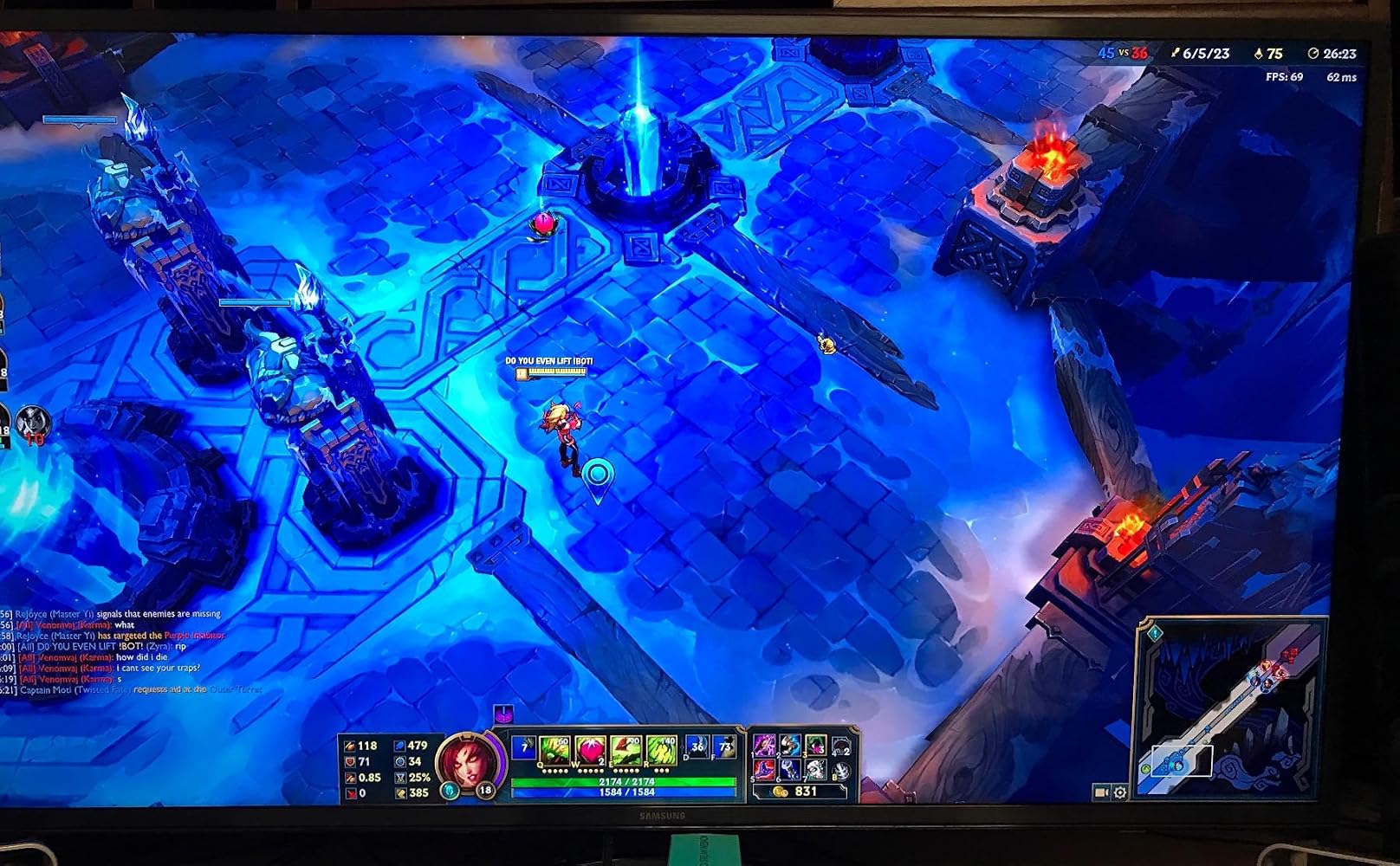
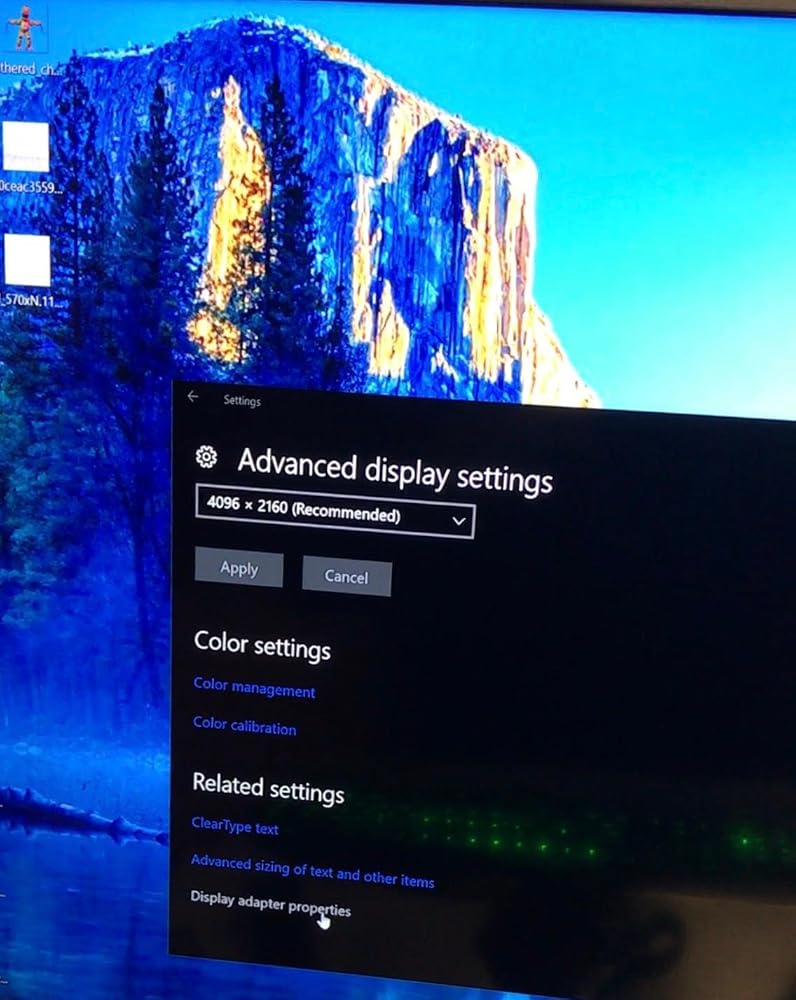
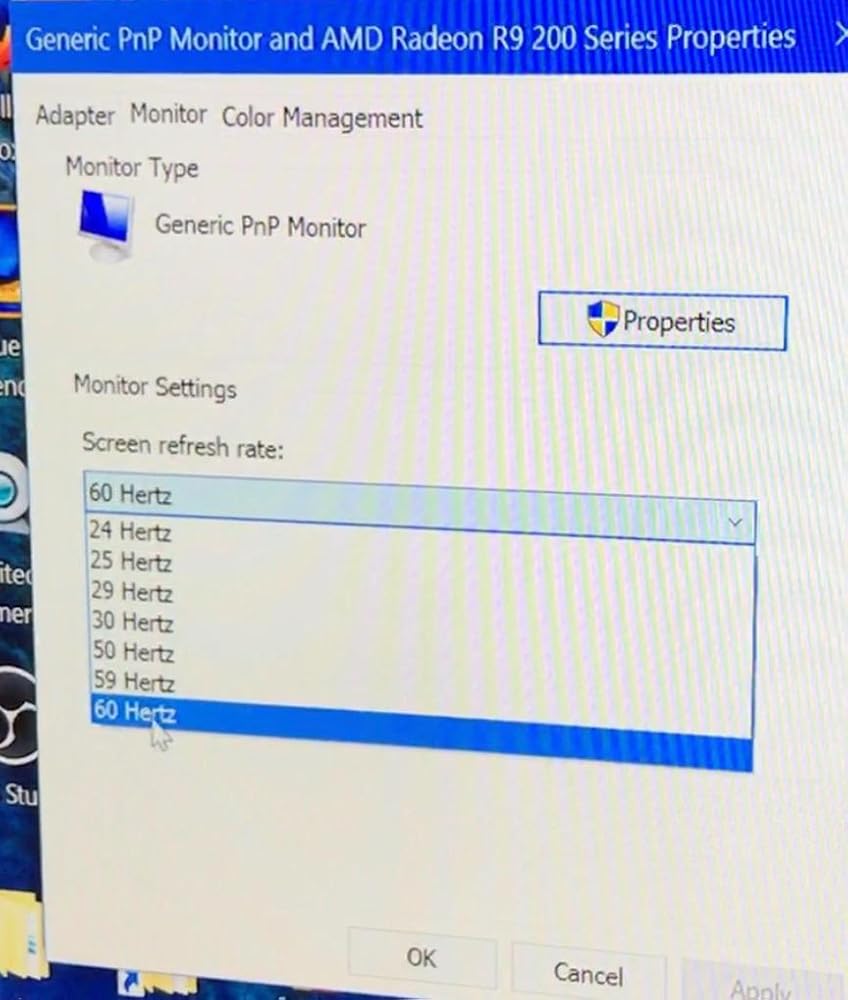
I got 4K60Hz on this converter but No HDR -> No HDMI2.0a. HDCP 2.2 is also not work consistently.My TV: LG OLED65E6PMy HTPC:ASRock Fatal1ty Z270 Gaming-ITX/acCore i5-7500Windows 10 Pro
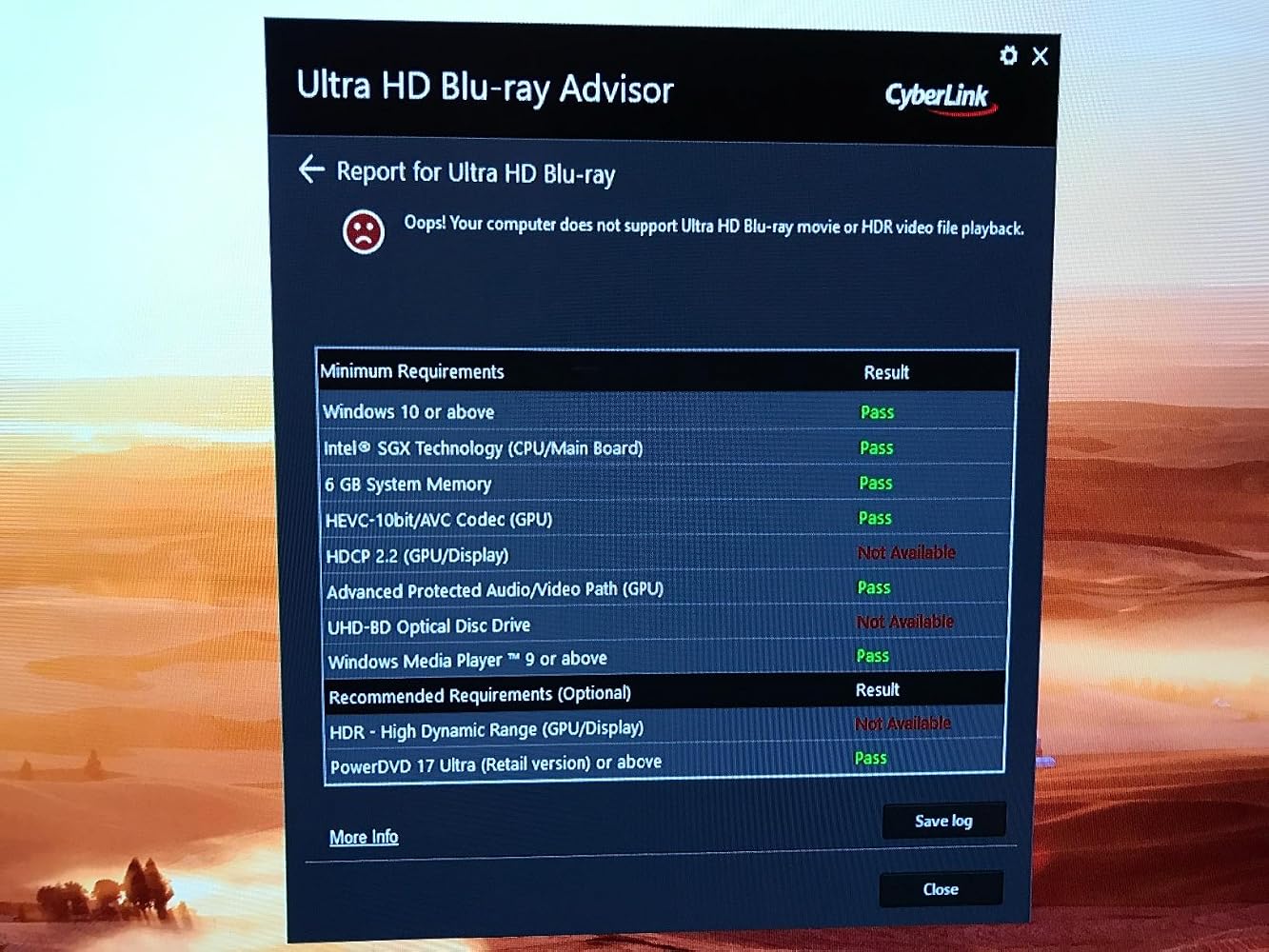
Unfortunately, this product does not work as advertised. I connected the adapter to my R9 290 graphics card, made sure that the HDMI cable that I was using was 2.0 compliant, that the HDMI port on the television was 2.0 compliant, even searched the UPTab website thinking that there might be drivers that I had to download, but with no luck. The highest settings that I have with the adapter are the same as the highest settings that I get without the adapter: 4096x2160@30Hz. I was really crossing my fingers that I'd be able to get 60Hz, since the television itself supports up to 120Hz.
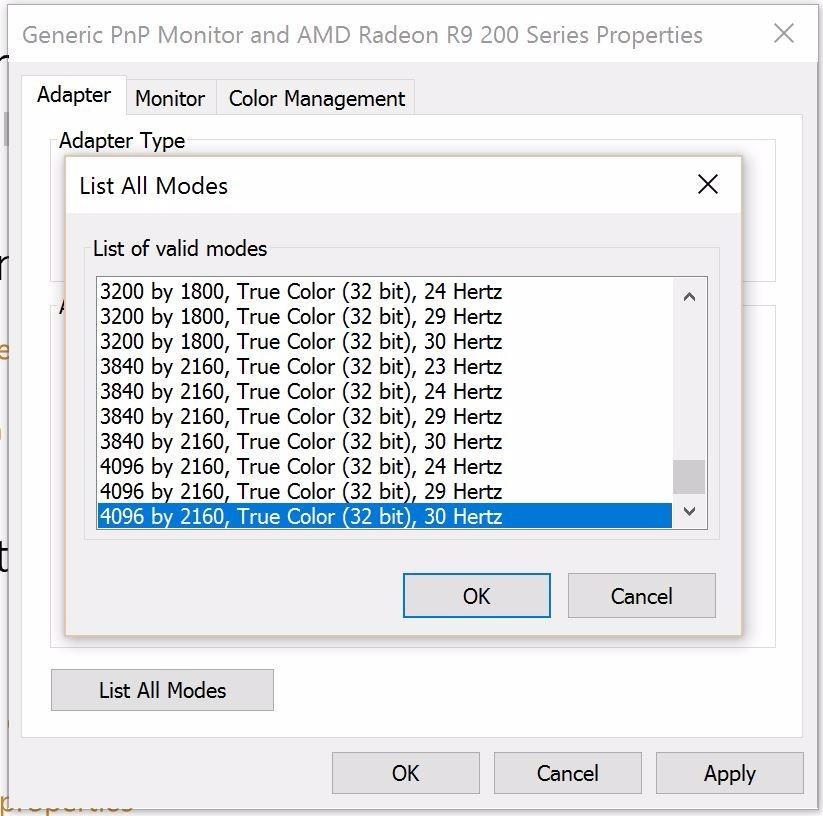
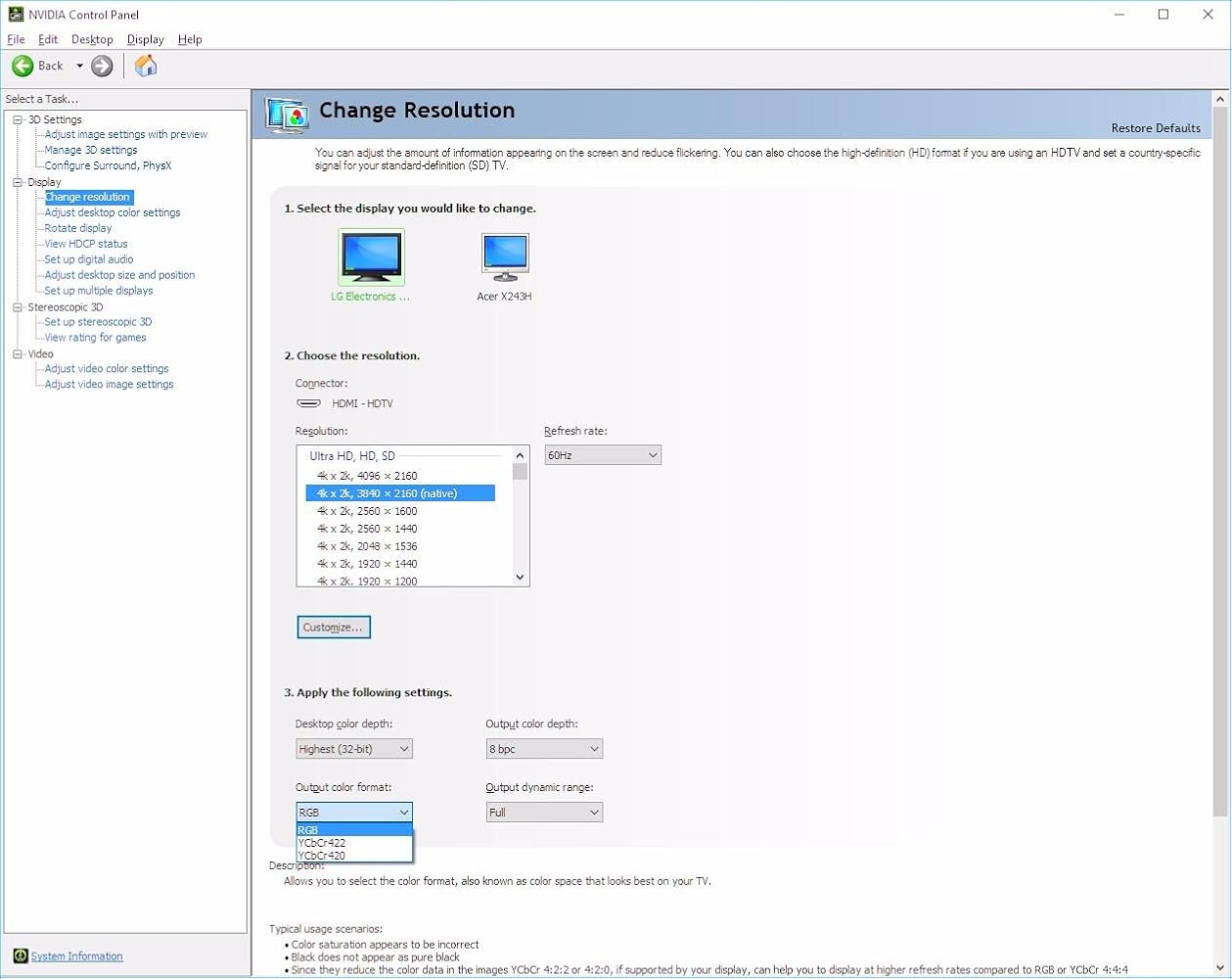
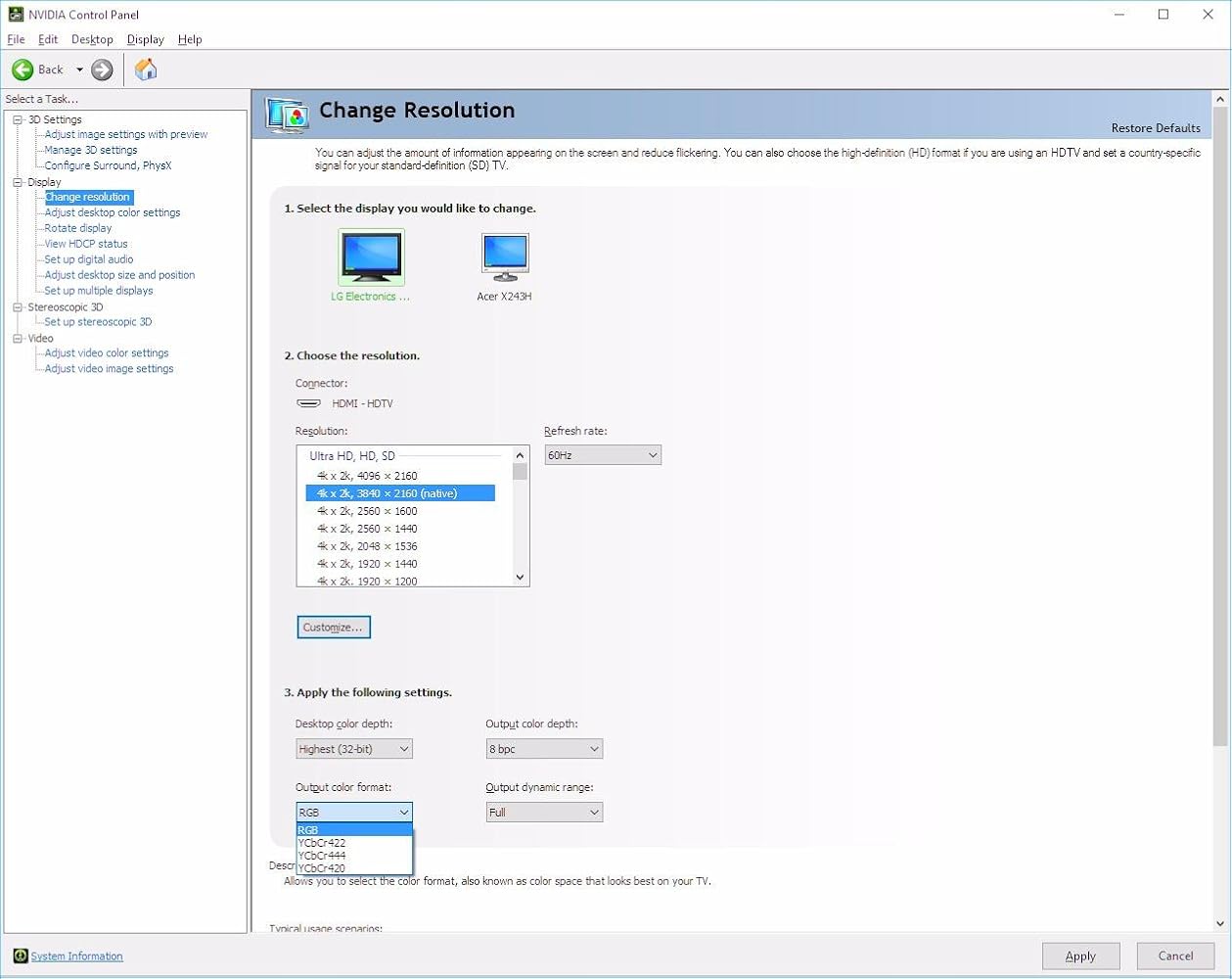
I have an LG 49UB8500 and an NVidia built GTX 1080. Connected directly to the monitor's deep color HDMI port, I get proper 4:4:4 color (see attached screenshot #1). Using this adapter on a displayport to the same input on the screen with the same HDMI cable, I do NOT get 4:4:4 (see attached screenshot).I gave 2 stars instead of 1 because when using RGB, the monitor correctly displays images at 4:4:4 (using test pattern), however, same cable and adapter into a Samsung UN40KU6290 in RGB mode (4:4:4 also doesn't show up for the Samsung) does NOT show 4:4:4 correctly (summarizes to 4:2:2 with test pattern). Connecting to the Samsung screen directly with HDMI from the GTX 1080 shows 4:4:4 like the LG does.
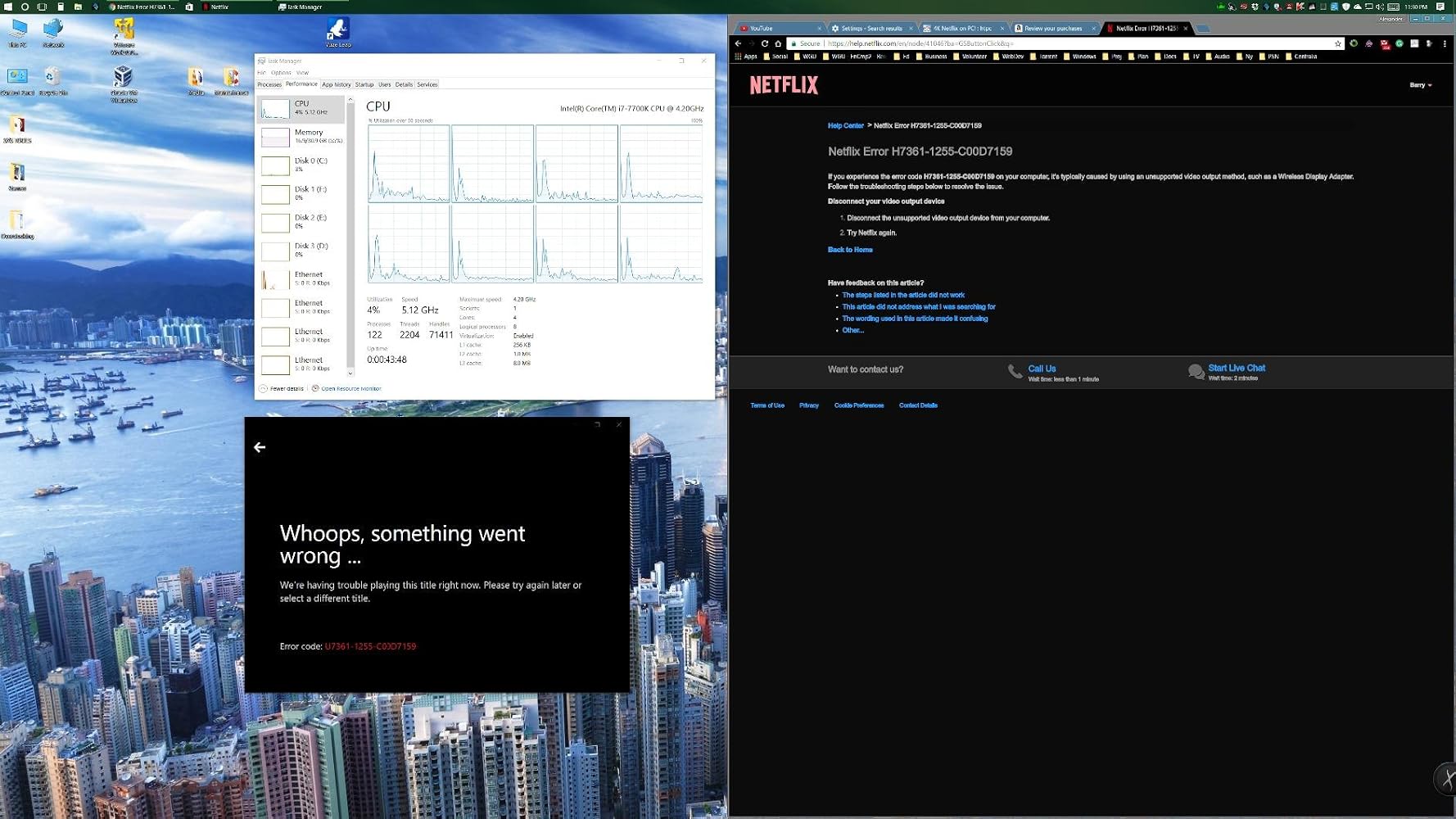
I believe the HDCP 2.2 spec listed is not correct because my adapter does not play Netflix in 4k using this adapter.My PC:----------Asus Maximus Hero IX (z270)32GB DDR4 @ 3000MHzi7-7700k @ 5.2GHz w/ Intel HD 630 Integrated Graphics - DisplayPort 1.2 (max: 4096x2304@60Hz) - HDMI 1.4b (max:3840x2160@30Hz)If I try to view it with the HDMI 1.4b connection to my Samsung 6300 series 2016 4k/hdr10 display, it works, but only at 30Hz (terrible to my eyes, and terrible for gaming, which it why I bought this).When I plug this adapter into the DisplayPort v1.2 and set the resolution to 3840x2160@60p, the desktop works fine, being nice and snappy, but Netflix will not play anything though the adapter, either in the Windows 10 Netflix app, or in the Edge browser!I AM VERY DISAPPOINTED WITH THIS PRODUCT :(
After waiting 3 years for such an adapter to exist and reading the very disappointing reviews of the club 3D one I am happy to report that I am finally able to run my LG OLED TV at it's native resolution and 120Hz. I haven't tried VRR with this adapter but I tried it on a RTX 2080 maxq and on a MacBook pro 16 2019 (with Radeon m5500). I had to use SwitchResX and add a custom resolution to get the Mac output it and I still have a problem of subsampling but I know this adapter can do the job! Great product. It's just sad it didn't exist 3 years ago when the C9 got released

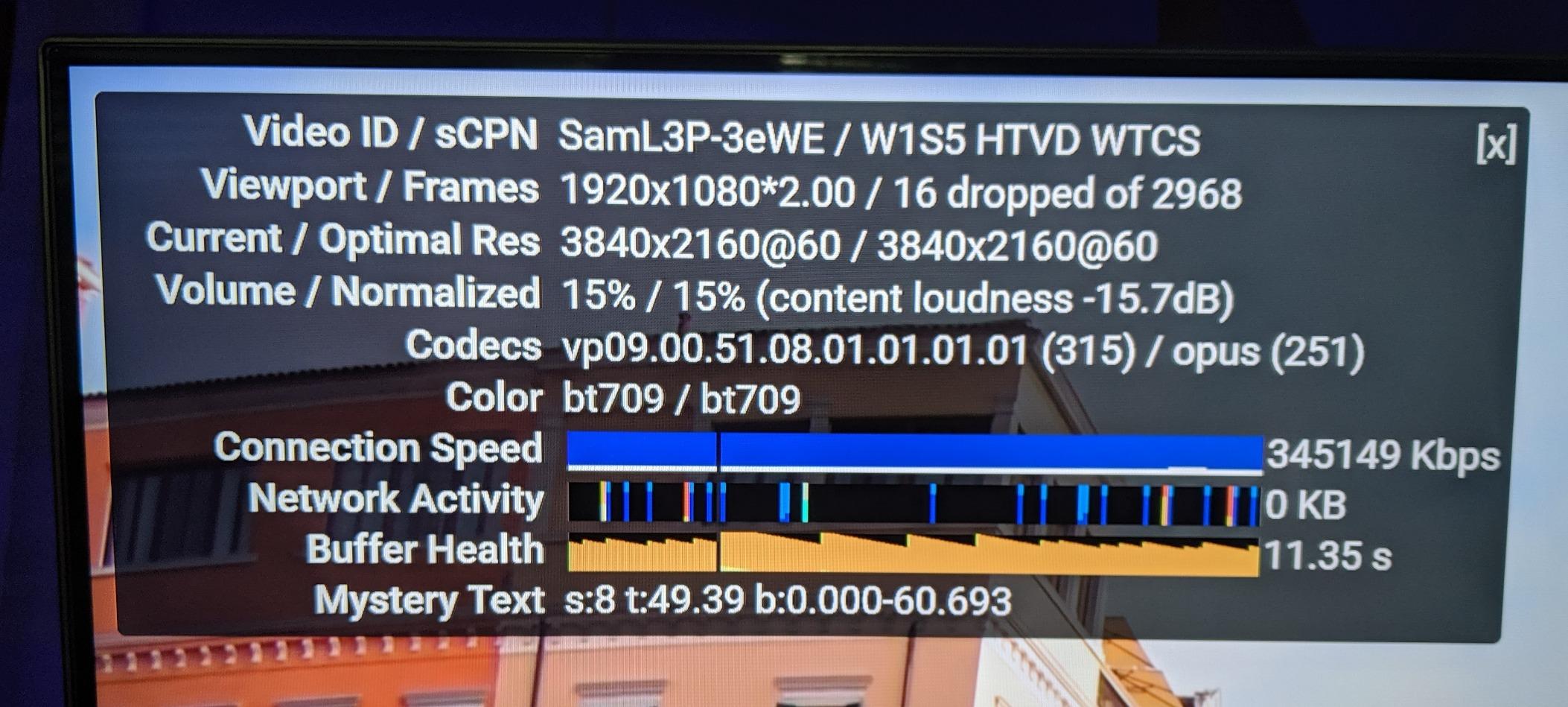
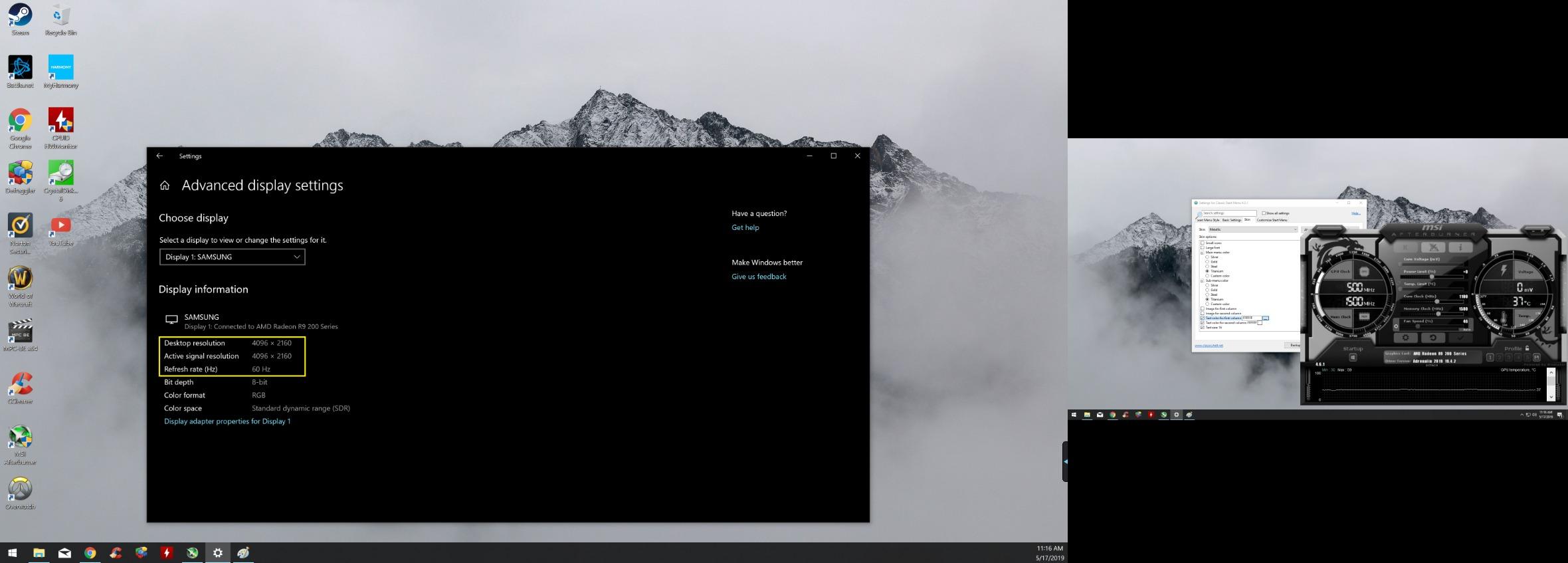
Update: Added second pic of YouTube 4k60fps and it's still cranking it out without dropping frames etcI have an older computer hooked up in my bedroom that has a R9 270 video card in it. Unfortunately the HDMI Port is only capable of 4k 30hz. The Display Port on the other hand could do the 60hz but I am connecting this to a TV, which doesn't have a DP. So I found this and bought it a couple weeks ago. I tested it for a while to make sure it worked.As you can see from the picture this is the case. I used a HDMI cable that was rated for it and it has been solid since. No dropping of signal etc. I hope this helps
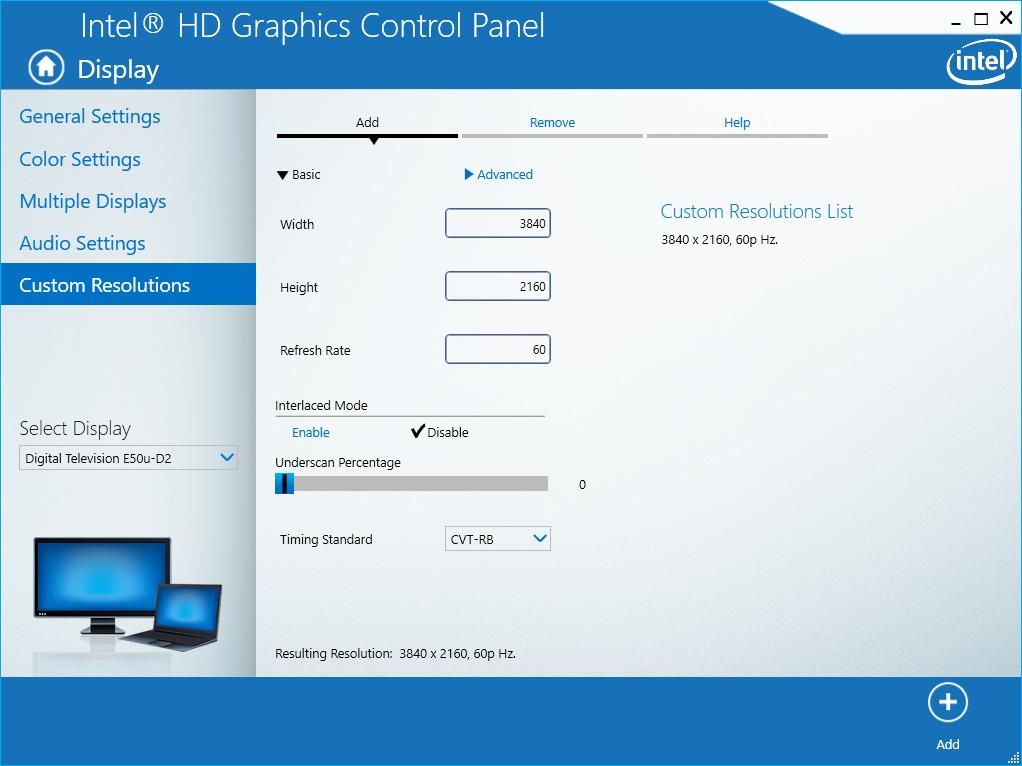
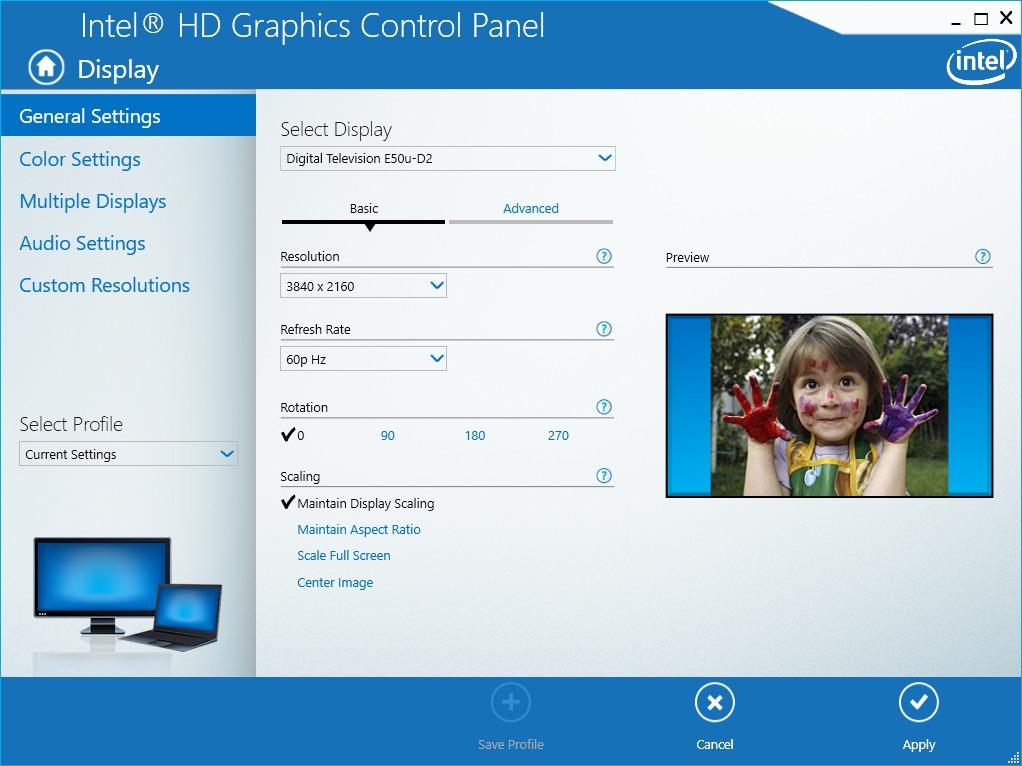
Excellent product and works as advertised, but it took some finessing on my part. If you're like me and running a haswell i7 with 4600 graphics (or similar cpu) on a windows based laptop, this adapter will not work out of the box for you. Step one is too make sure you're using the proper hmdi 2.0 port on your monitor/tv. (mine is hdmi 1 port on my vizio tv). Then you'll want to 'search for updates' for your intel graphics. After that open the Intel HD Graphics control panel. > go to display > custom resolutions > set the width to "3840" and the height to "2160" and refresh rate to "60" (**make sure the correct display is selected in the display drop-down menu on the left hand side**) > next you'll want to set the 'Timing Standard' to CTV-RB (VERY IMPORTANT) > finally click add and go back to general settings. Select the resolution you just entered and the refresh rate should be available. I hope this helps!
I recently got an 8k TV for programming and productivity (HIGHLY RECOMMEND)... My 1660 Super on my work PC only has HDMI 2.0b, which only supports 8k 30Hz, which is painful to use.1660 Super also has DP1.4a ports, which carry much higher bandwidth. I was highly skeptical this would work as this was only one of two converters I could find on Amazon to do DP1.4a to HDMI 2.1.I plugged it in, and after restarting my PC it instantly worked with my TV. Native 8k resolution at 60 Hz. Incredible. AND I was surprised to find it allowed for a higher colorspace as well due to the higher bandwidth, so the picture overall looks better than it did before, on top of getting 60 Hz instead of 30 Hz.Thanks for a great product, does exactly what it says it would do.

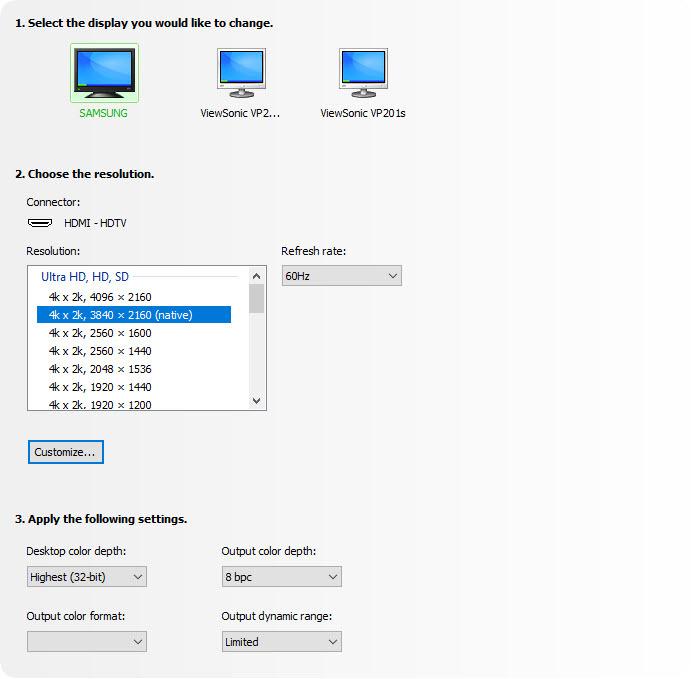
I am a professional software developer and I need a large desktop. I currently utilize a 40" Samsung curved UHD TV with two additional 24" monitors in portrait mode (one on the left and one on the right of the Samsung.) My graphics card is an EVGA 960 with 4GB. This card has 3 DisplayPort outputs and 1 HDMI output. Previously I was using the HDMI output of the graphics card to drive the Samsung TV. This worked well (UHD at 60 Hz) but I was unhappy with the arrangement because the computer would always post to one of the smaller screens when booting up.This adapter allows me to use my Samsung TV as the primary display with one of the DisplayPort outputs. (4K UHD at 60 Hz). See the screenshot I have attached to this review.Note: As an experiment I tried several inputs on the TV. One of the ports is labelled "HDMI 1 / DVI". This input appears to provide more performance than the other HDMI inputs on the TV. For example, this input allows the video card to provide 4K (with RGB, YCbCR 4:4:4, YCbCR 4:2:2 or YCbCR 4:2:0) and 32-bit color with 8 bpc. The other inputs on the TV do not appear support all of the output color formats. BUT... I personally do not LIKE the way the HDMI 1 / DVI input "looks". I can detect digital "shadows" adjacent to lines and fonts. And the display seems "harsh".
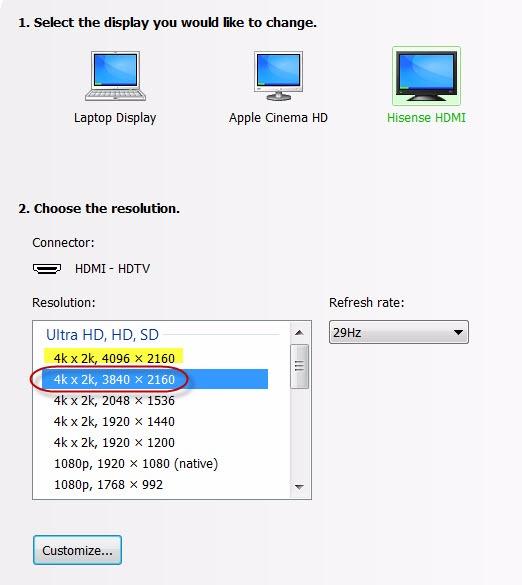
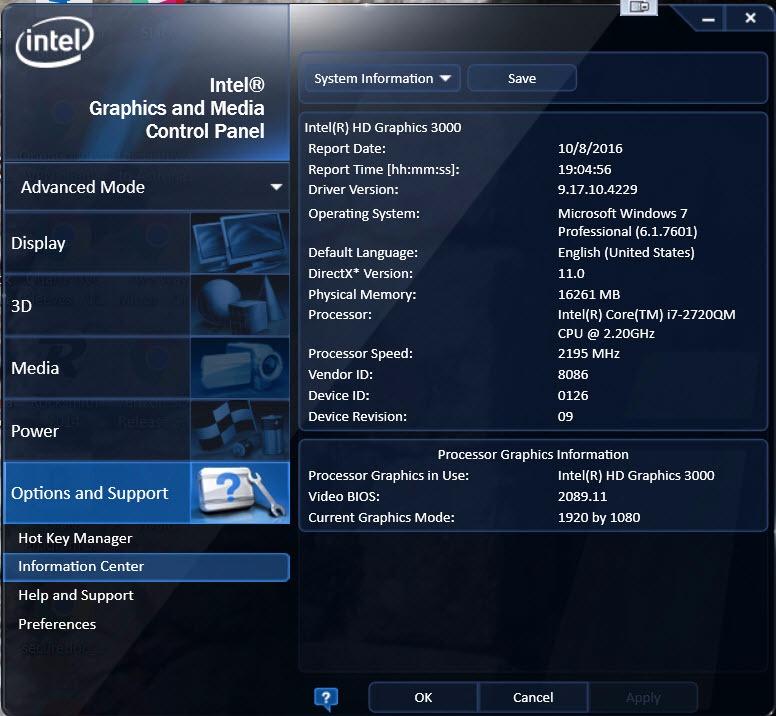
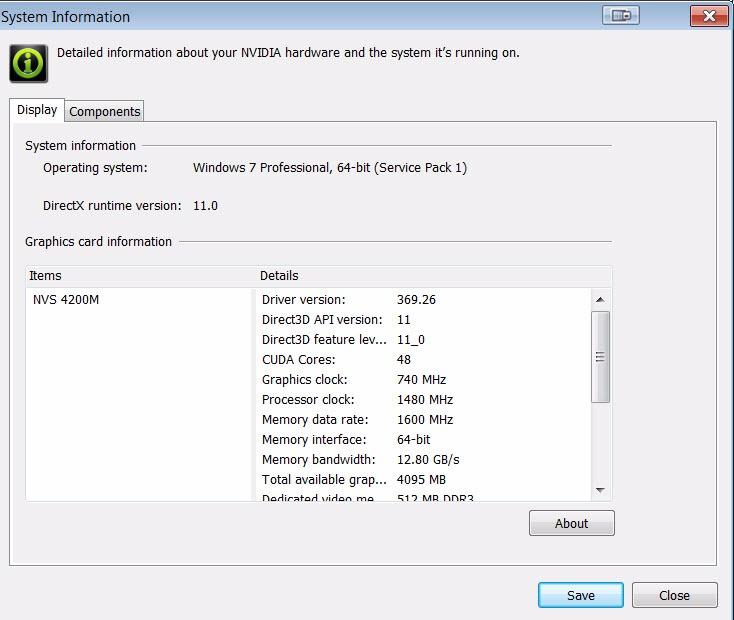
Excellent product, plug & play operation for my setup and enables the 4K resolutions as standard, no custom configurations required.I purchased the DisplayPort 1.2 to HDMI 2.0a Active adapter to see if it performed better than the older DisplayPort to HDMI Passive adapter I had on hand with a recently purchased 50" flat panel. While the DP-HDMI passive adapter allowed me to display 3840x2160 resolution, I had to create a custom resolution for the NVIDIA GPU. After each reboot, and often after unlocking the screen saver, the custom setting and passive adapter combination would disable the 4K monitor and revert to the base 1920x1080 resolution, requiring multiple time consuming steps to re-enable the 4K monitor. I deemed the custom resolution configuration as the root cause of the instability since using a 40" 4K monitor with the same DP 1.2 port did not result in the same challenges.To satisfy my curiosity I purchased the Uptab adapter, fully expecting that the results would be the same as with the passive adapter.First I tested the Uptab DisplayPort 1.2 to HDMI 2.0a Active adapter with the 40" Seiki SM40UMP that I have been using with a single DP 1.2 connection @ 4K resolution, swapping the DP 1.2 cable with the adapter and a Redmere 18+ Gbps HDMI cable. As expected, the Seiki immediately switched to HDMI and resumed displaying 4K @ 30Hz*.I powered down, switched monitors and connected the Redmere HDMI cable to the 50" monitor using one of the two 4K@60Hz rated ports. After starting back up I was pleasantly surprised when the computer immediately recognized the 50" monitor as with 3840x2160 resolution, requiring no custom resolution configuration. Even more surprising, is that the Uptab DisplayPort 1.2 to HDMI 2.0a Active adapter exposed an undocumented *second* 4K resolution of 4096x2160 @ 24 Hz on the 50" monitor panel! Of course, I tested the 4096x2160 "true 4K" resolution and it works without issue --- Easter Egg in a monitor!Regardless, I switched back to the 3840x2160 resolution to continue testing the stability of the configuration over the next several days. Using the 4096x2160 resolution added a variable and if instability issues resurfaced, would leave me wondering if the root cause was the adapter/monitor combination or the 4096/adapter/monitor combination.My configuration is:Dell Latitude E6520 i7-2720HQM with Intel HD 3000 IGU**NVIDIA NVS 4200M GPU with 512 MB dedicated video memory**Samsung 1TB 850 EVO SSD; 2TB Seagate ST2000LM00716 GB DDR3 1866 Mhz ramDell PR02X E-Port II Plus Docking Station (supplying the 2x DisplayPort/DVI-D ports)- screen shots attached*My current computer configuration will not support 4K@60Hz from a single DP 1.2 port, therefore I cannot test the full HDMI 2.0a 60Hz capabilities of the adapter.**Before anyone points out the fact that the Intel HD 3000 and NVIDIA NVS 4200M GPUs have a documented maximum resolution of 2560x1600, you are absolutely correct --- and I was planning to purchase two 27" 2560x1440 monitors to replace the two 27" 1920x1200 monitors that were failing after 8 years of constant use based on the Dell and Intel documentation. I already had the 50" monitor and decided to see how it would look at the 2560x1440 resolution which led to the discovery that the E6520+Docking Station combination would drive a 4K resolution from a single DP port.Just as Dell's documentation states that the E6520 can only support 8 GB of 1333 MHz ram, it is a well known fact that Dell usually understates the full capacity of the on-board chipset. I've been running 16 GB of 1866 MHz DDR3 ram (2x8 GB DDR3 SODIMM) since mid-2013 without issue and have been watching the prices of the 32 GB 1600 MHz DDR3 SODIMM kits(2x16 GB DDR3 SODIMM) for the past year to see if I can access the full capacity of the Intel chipset in the notebook.
Alt virket som normalt da jeg koblet til.
First let me say that the product is working perfectly but there is a backstory to this.
I originally bought this in October of 2021 and was disappointed that it was only passing a 4:2:0 signal from my 6900xt to my LG C1 and had intended to return it (even received an RMA). I changed my mind on the hope that it was a firmware issue that would be resolved as a support e-mail had said the issue may be with LG OLEDs at that time.
Well, I don't know which firmware did it but I decided to try this again tonight on a whim and it works great.
This was a perfect solution to get 2160p/60 from my computer to the TV. Very easy to use. The computer automatically recognized the correct screen resolution. The only possible concern I can think of is that the adapter doesn't support HDR (most don't as of the time of this review).
I have heard that these adapters are sometimes hit-or-miss, and I have went through a few unsuccessful solutions. Works as advertised. I have a Sony XBR-65X900C(60Hz), and there was a several second delay when turning on the PC, where there was no picture, but after the delay, I had my 4K going with my PC, using a Nvidia GTX 1080(Founders Edition). No complaints.
Need to update the bios asap or it gets too hot to touch.
Excellent product. Arrived in excellent condition and worked as expected. Seller has been corteous and very professional to help on every detail, including a set of instructions sent in advance by email, in order to make sure everything was ok. If needed, I will for sure buy again from Uptab. Thank you and greetings from Brazil !
Still an early review. Connected my Dektop with GTX 1080 FTW display port 1.4 to my Samsung UN65KS8500 TV HDMI 2.0a port. Did not work. As soon as I connect, my TV stops detecting any source as if the converted is not transmitting anything and the primary display of my computer goes dark like 'stand by'. I have not given up hope yet, will try my laptop with TV and may be read up online for solutions before I give up and send it back.
This is a true display port to HDMI 2.0 converter. Playing doom 4k @ 60hz on my big screen was awesome. My Samsung UHD TV doesn't have a display port and my gtx 780 doesn't have HDMI 2.0 so this way I could convert the signal with no loss or detectable lag. Thanks for the quality product!Highly recommended
Works good, but had to do a lot of fiddling to get it to work properly, but so far so good after a month of usuage
This adapter works perfectly on my my LG wide monitor running at 2560x1080. I'm now free of my Display Port hot plug auto detect issues, a feature of display port that would cause the monitor to disappear from Windows anytime the monitor was turned off, messing up my tri-monitor configuration and icon locations. Highly annoying. I'm so happy I never have to deal with that again.
it does give 4K at 60 but they claimed it supports YCbCr4:4:4, 4:2:2 and 4:2:0 up to 12 bpc , and its the only reason i bought it for and on my AMD card they option was grayed out so its of no use to me
Envío gratuito en pedidos superiores a $50
Envío el mismo día en la mayoría de los pedidos