

Estación de acoplamiento universal para triple pantalla 4K con USB-C o USB-A
About this item
Combina bien con
ENVÍO EL MISMO DÍA. Haga su pedido antes de las 11 a. m. (EST)
Envío gratuito en pedidos superiores a $50
Apoyo técnico
Devolución en 30 días
Garantía de 1 año
Estación de acoplamiento universal para triple pantalla 4K con USB-C o USB-A
Detalles del producto
Conecte un solo cable para transformar su computadora portátil Windows o Mac, incluida Intel o M1/M2/M3 modelos, en una configuración de monitores múltiples con la estación de acoplamiento USB-C de pantalla triple UPTab 4K. Esta base se encuentra entre las primeras en aplicar innovaciones USB 3.2, utilizando el “modo alternativo” DisplayLink y DisplayPort del estándar USB-C para la salida principal. También se encuentra entre los primeros en ofrecer suministro de energía USB de 100 W, lo que permite que la base cargue una computadora portátil, un dispositivo 2 en 1 o una tableta Windows. No todos los puertos USB-C admiten el modo DP Alt o la carga PD; Es necesario un puerto USB-C, USB4, Thunderbolt 3 o Thunderbolt 4 totalmente compatible.
Conexión de host USB-C para monitores triples 4K:

Existen limitaciones cuando se conecta a un host USB-A 3.2 (USB 3.0), hasta dos monitores y no se puede cargar una computadora portátil.
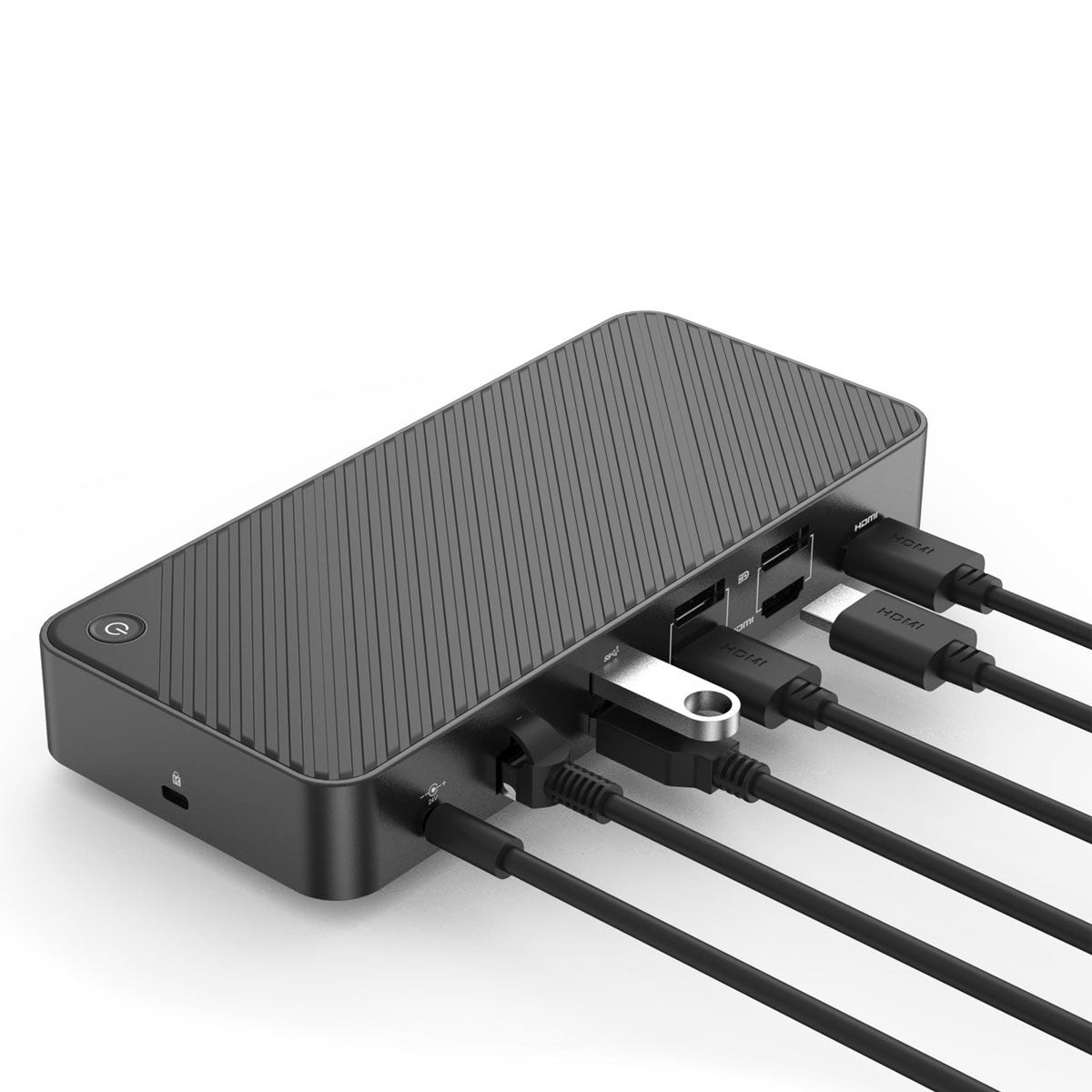
Configuración sencilla: el diseño Plug-And-Play le permite tener todo enchufado y acoplado con un solo cable. Simplemente conecte el cable de la estación de acoplamiento para cargar su dispositivo y acceda instantáneamente a monitores externos, teclado, mouse y más, transforma su computadora portátil/tableta en una PC de escritorio y ahorra el desorden de cables en su escritorio, marca local UPTab de EE. UU. Diseñado para aumentar su productividad.
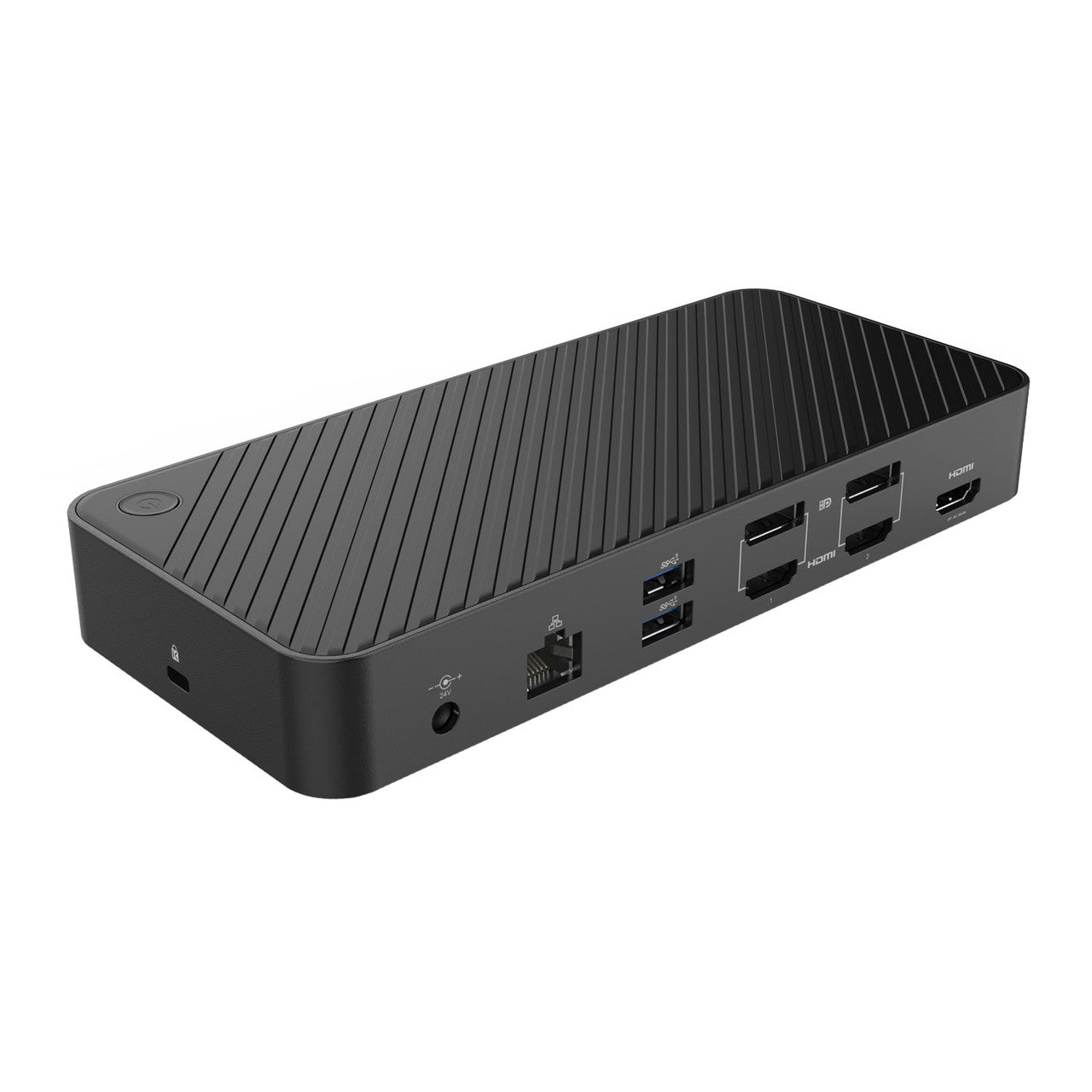
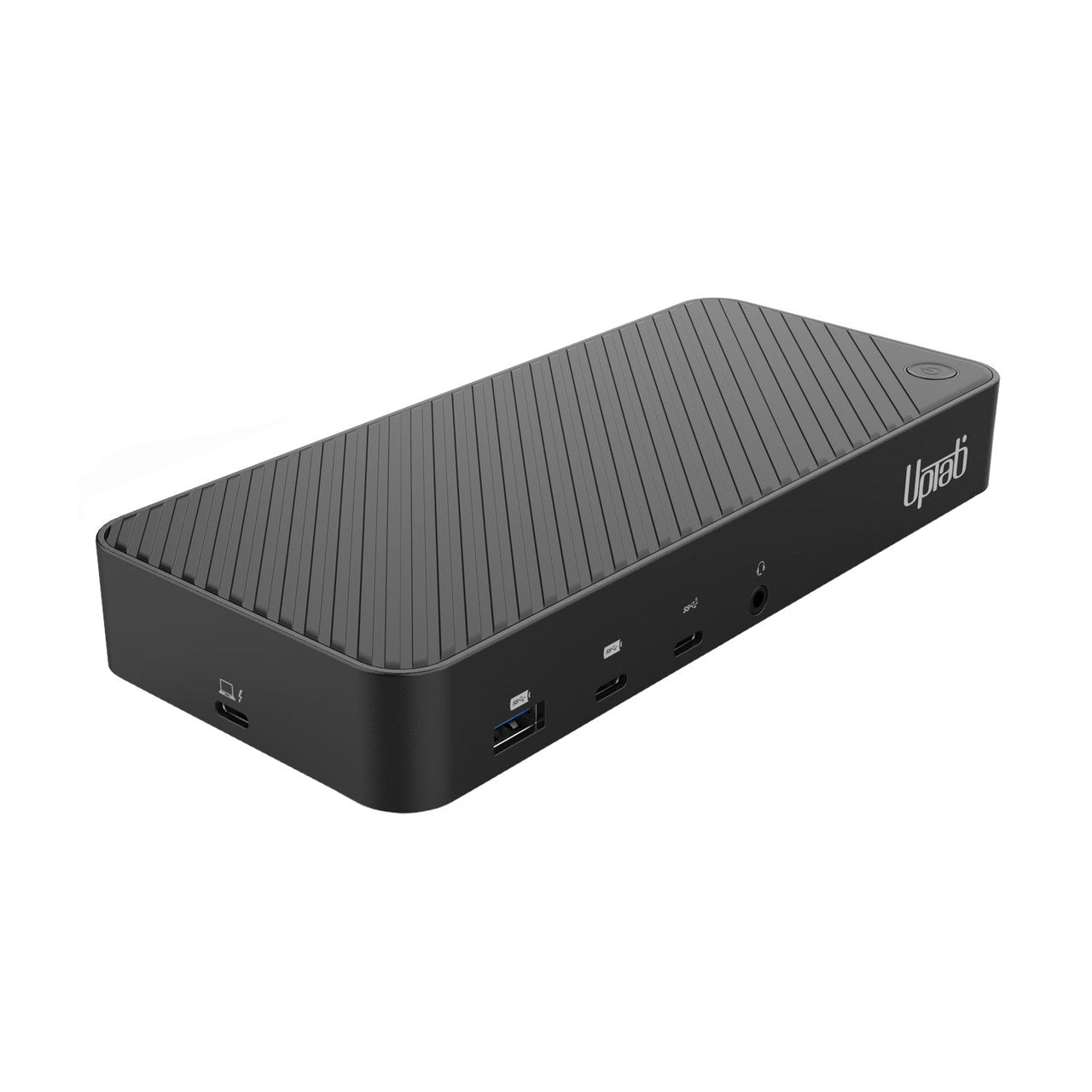
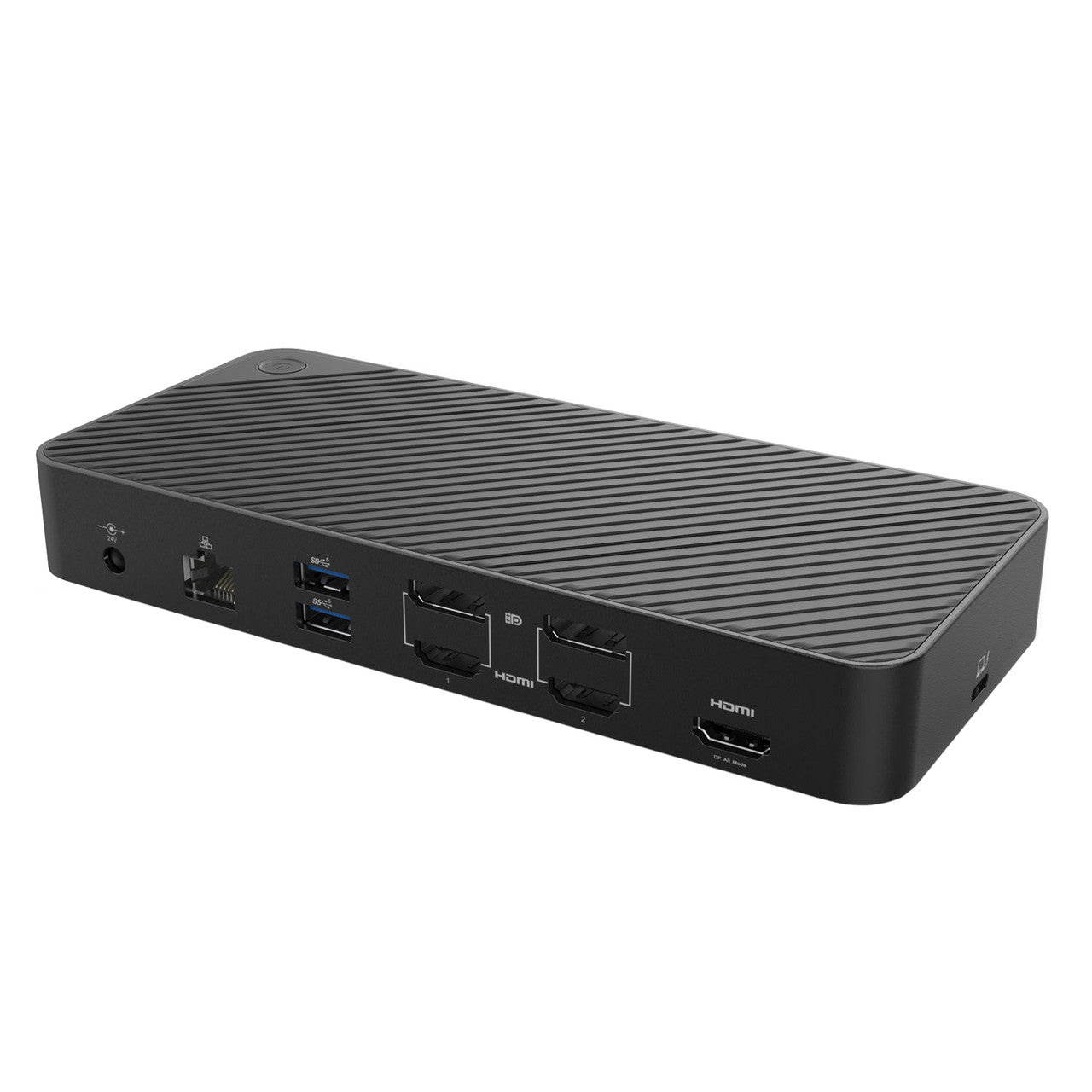
Estación de acoplamiento UPTab DisplayLink. Anverso y reverso:

- Entrada: USB-C 3.2 Gen 2 o USB-A 3.2 Gen 1 (USB 3.0) - Cables USB-C y USB-A incluidos
- USB-A 3.2 Gen 2 (10 Gbps con carga BC 1.2)
- USB-C 3.2 Gen 2 (10 Gbps con carga BC 1.2)
- USB-C 3.2 Gen 1 (5 Gbps)
- Puerto de audio y micrófono AUX/MIC de 3,5 mm
- Entrega de energía de 100 vatios a una computadora portátil. Suministro de energía total de 130 vatios (24 V/5,4 A)
- Gigabit Ethernet (10/100/1000)
- 2x USB-A 3.2 Gen 1 (5 Gbps)
- DisplayPort o HDMI: 4K a 60 Hz (3840 x 2160)
- DisplayPort o HDMI: 4K a 60 Hz (3840 x 2160)
- HDMI 4K a 30 Hz (3840 x 2160) - Modo alternativo DP
- Ranura K para candado de portátil estilo Kensington
Esta estación de acoplamiento USB-C Gen 2 con soporte DP 1.4 y HDMI 2.0 HDR es una opción perfecta para la configuración de monitores dobles o triples, que admite hasta dos salidas de pantalla 4K 60 Hz y una salida de pantalla 4K @ 30 Hz, con cualquier combinación de tres interfaces de video DisplayPort o HDMI, en computadoras portátiles USB-C Gen 2 (con soporte DP 1.4), MacBooks y computadoras portátiles Thunderbolt 3/4 basadas en Windows.
Cargue teléfonos inteligentes y otros dispositivos con dos puertos de carga frontales descendentes con BC 1.2 para dispositivos USB-A y USB-C.
Los puertos de carga rápida admiten carga siempre activa para que los dispositivos se carguen independientemente de si hay una computadora portátil conectada o no.
Conexión de host USB-A (USB 3.0) para monitores 4K duales:

Pantallas de alta resolución: Obtenga más espacio en la pantalla para una mayor productividad. Las pantallas de alta resolución (tanto DisplayPort como HDMI) cambiarán la forma en que administra sus pestañas fuera de control y su flujo de trabajo.
No más imágenes granuladas y pantallas pequeñas. Amplíe el espacio de su pantalla con esta base y reduzca el tiempo que lleva trabajar en esas tareas altamente productivas.
Nota: Para lograr 4K 60 Hz, cada monitor y cable conectados deben admitir la resolución y frecuencia de actualización deseadas. Las computadoras portátiles USB-A más antiguas solo admitirán una configuración de monitor dual.
Compatibilidad:
manzana M3: Nuestra estación de acoplamiento DisplayLink le permitirá superar la limitación de un monitor externo en el nuevo Macbook Air\Pro de Apple con M3 y te permite conectar hasta tres monitores simultáneamente con hasta 4K a 60Hz y HDR.
Compatibilidad con portátiles: Compatible con la mayoría de las computadoras portátiles y de escritorio que ejecutan Windows 11/10/8.x/7 y MacOS con Intel o M1 y M2 fichas con 10,14+. La caja incluye un cable USB 3.0 y USB-C para conectar la base a su computadora portátil.
No compatibles: No compatible con: sistemas operativos Windows basados en ARM (como Surface RT).
Compatibilidad del monitor: Admite dos monitores de alta resolución de hasta 4K 60 Hz (3840 x 2160 a 60 Hz) cuando se conecta a pantallas que admiten la resolución deseada. Si bien es compatible con versiones anteriores, es importante tener en cuenta: • Los monitores DisplayPort 1.2 pueden admitir hasta 4K 60 Hz, • Los monitores DisplayPort 1.1 pueden admitir hasta 4K 30 Hz, • Las pantallas HDMI 1.4 pueden admitir hasta 4K 30 Hz.
Compatibilidad de software: DisplayLink es una tecnología flexible y versátil que es excelente para el flujo de trabajo de la mayoría de los usuarios. Actualmente en macOS 12.0 Monterey para ver contenido DHCP (protegido contra copia) como Blu-ray/Netflix/Prime/iTunes/Hulu/Disney+/etc. debe desactivar la aceleración de hardware en la configuración de Google Chrome o utilizar los navegadores Firefox u Opera.
Alimentación y carga: La entrega de energía a su computadora portátil se puede realizar solo cuando usa el USB-C (asegúrese de que su computadora portátil se pueda cargar a través de un puerto USB-C) hasta 100 vatios de entrega de energía a una computadora portátil.
Especificaciones:
- GigabitEthernet
- 10/100/1000
- USB-A
- Un puerto USB-A 3.2 Generación 2 de 10 Gbps (frontal) (soporte de carga BC 1.2)
- Dos puertos USB-A 3.2 Generación 1 de 5 Gbps (posterior)
- USB-C (Tipo C)
- USB-C 3.2 Generación 1: velocidades de transferencia de 5 Gbps (frontal)
- USB-C Generación 3.2 Generación 2 - 10 Gbps (Frontal) (Soporte de carga BC 1.2)
- Conexión de host USB-C (lateral)
- hdmi
- HDMI 1: 4K a 60 Hz (3840 x 2160)
- HDMI 2: 4K a 60 Hz (3840 x 2160)
- HDMI 3: 4K a 30 Hz (3840 x 2160) (MODO ALTERNO DP)
- DisplayPort
- DisplayPort 1: 4K a 60 Hz (3840 x 2160)
- DisplayPort 2: 4K a 60 Hz (3840 x 2160)
- Micrófono auxiliar AUX/MIC
- Puerto de audio y micrófono de 3,5 mm
- Alimentación CC
- Entrega de energía de 100 vatios a la computadora portátil
- Entrega de energía total de 130 vatios (24 V/5,4 A)
- Cerradura Kensington
- Un candado Kensington
Dimensiones: L 7 1/2'' x ancho 3 1/4'' x alto 1 1/4'' (90 mm x 85 mm 35 mm)
Compatibilidad:
- Admite Windows 11, 10, 8.x y 7 y macOS Intel o M1/M2 y M3 10.14+. ARM y algunas versiones anteriores de macOS no son compatibles.
en la caja:
- 1 estación de acoplamiento universal para triple pantalla USB-C o USB-A
- 1 cable USB-C a USB-A de 19 1/2" (500 mm)
- 1 cable USB-C a USB-C de 19 1/2" (500 mm)
- 1x unidad de fuente de alimentación CC
- Documentación
Si tiene alguna pregunta, no dude en contactarnos. Le responderemos lo antes posible, en un plazo de 24 horas entre semana.
-
Información de envío
Procesamos y enviamos la mayoría de los pedidos el mismo día. Los plazos de entrega varían según el método de envío seleccionado al finalizar la compra. Asegúrate de que tu dirección de envío sea correcta para evitar retrasos.
-
Atención al cliente
¡Nuestro equipo está aquí para ayudarte! Si tienes alguna pregunta o necesitas ayuda, contáctanos por correo electrónico o a través de nuestro formulario de contacto. Nos pondremos en contacto contigo lo antes posible.
-
Preguntas frecuentes
¿Cuándo se enviará mi pedido?
La mayoría de los pedidos se procesan y envían el mismo día. El tiempo de entrega depende de la opción de envío seleccionada al finalizar la compra.
¿Cuál es su política de devolución?
Los artículos pueden devolverse dentro de los 30 días en el embalaje original con todos los accesorios incluidos. -
Contáctenos
¿Tienes preguntas o necesitas ayuda? Estamos aquí para ayudarte.
Servicio al cliente disponible de lunes a viernes de 9 a. m. a 5 p. m. (EST)
Correo electrónico: cs@uptab.com
Teléfono: 1 (877) 333-1505
O utilice nuestro formulario de contacto : le responderemos a la brevedad.
Use this docking station when I have to work from home remotely. It pushes my (1) 32" 4k and my (2) 24" monitors with no problem. I don't do anything that is graphics intensive all I do is run a few reports on excel. It fits my needs and it has ports for my accessories as well. The best part is that it charges my laptop when connected to the USB-C.The dock is well made and reminds me of the ones we use at work.I have succesfully used it with my Dell Lattitide 7420, Asus G15, and 2018 Macbook Air.Hope this helps. :-)


This is great dock for either a desktop or laptop! I bought it for use for my desktop, but it's small enough to fit into a bag if you need to take it with you on the go.This dock actually supports thunderbolt which is great! 40GB/s is more than enough for an external display, a few usb devices, and ethernet. It does come with a short 1ft thunderbolt C-C cable which is nice as those can get pretty expensive. The dock comes with an AC adapter as it does support PD charging with the front USB-C ports. I did take it out to test on my laptop and it does charge the laptop at the same time! Pretty nifty.Fine dock for those on the go or at home. I use it to take my single USB-C Thunderbolt out of my desktop into a functional array of ports. I guess it may be more useful with a laptop as I can't use it for displays with my desktop (no iGPU on my system), but having a few extra USB C and 3.1 ports is huge, especially when they all run at 10(?) GB/s.


I have a unique situation, and was looking for a nice thunderbolt hub that, hopefully, would've cause any problems. My situation is I have a 2011 27" iMac, which has an upgraded Nvidia graphics card, and so, using OpenCore Legacy Patcher, I'm able to run the latest Mac OS Monterey on it. The machine is really for my kids, and their school work, but my nearly 14 year old daughter has really gotten into video lately. As a result, I purchased an Apple Thunderbolt 2-3 adapter, in hopes some of the latest thunderbolt 3 devices could be used with the iMac. I'd previously tried a Plugable thunderbolt 4 hub, which worked, but, for some reason, when plugged in it would have a grey screen when booting for far too long. The Mac would eventually start up, but my kids got annoyed with how long it would take to do so. As a result, I started looking for another solution.I came across this hub, and, considering the price, thought it might be comparable to the Plugable hub, although this offered far more ports. It touts being usable for thunderbolt 3/4, so I gave it a go. Sadly, plugging it into the Apple Thunderbolt adapter didn't do a thing. This certainly powered on due to the extremely large power supply it comes with, but I couldn't ever get any devices plugged into it to be recognized on the iMac (I could successfully do so using the Plugable hub). I think, ultimately, it's due to this being a USB 4 hub in actuality versus a thunderbolt hub, despite pricing being very similar.Although it didn't end up working out for my ideal use case, I have been able to find it a home with my Mac Studio I use as my work daily driver. Plugged it in there, and, of course, anything plugged in fired right up. I should note, in addition to the huge power supply it comes with, it does also come with a USB-C to USB-C cable, as well as a USB-C to USB-A cable. I merely used the USB-C myself, and have been able to get near expected speeds with a Samsung T7 SSD plugged into it. I have a huge LG display, so really don't have a use for all the additional HDMI ports it offers. This does seem like a solid hub for what it is, although a little pricer than comparable thunderbolt hubs you can get from OWC, for instance. If you're in the market for something like this, it's not a bad choice at all.

Easy to set up a News. Orc exactly like I expected it to. Which is fantastic.
Using this with PC Laptop to get full desktop of 3 4K displays, working great!
This works great with my Dell Inspiron. Just plugged it in and it keeps my Laptop charged and all devices connected with just a single cable. This is exactly what I needed!I have a monitor, network connection, mouse and keyboard hooked up to this all without issue. No drivers needed, just plugged it in and ready to go. Very simple very easy.
I needed something to connect my Macbook pro to two 4k 27" displays, and this has been nothing but perfect for my needs. Im constantly going between my house and my work where I also tend to connect at least two monitors at a time. Having used a cheap docking station before, it was always running super hot and to the point it would scare me. This one has a dedicated fan and that seems to keep this quite cool! Having the USB 3.2 is nice as well as I tend to have a lot of peripherals in use.A well built docking station that has "just enough of what you need, and absolutely nothing extra at all!"
I got this to use with my Alienware m17 gaming laptop with a 3080ti. I mainly got it to use with my 4k TV in my game room. I also used it with an Intel 27inch iMac which worked great.Setup is simple and both Windows 11 Pro and MacOS had no issues seeing this docking station. Having a few extra ports is always I good thing, and each one worked flawlessly.Setting up my gaming laptop to my 4k TV was simply connecting it and configuring the display to mirror. I had no issues running my TV at 4k with this docking station. My kids and I have used it everyday for several weeks now with no issues at all.The build quality is excellent and it's not as heavy as I thought it would be. Due to the weight and size, it's easy to move around with very little effort.Overall, I am pleased with this docking station. I've used and own several brands of docking stations, and this is is as good as some of the more expensive brands I own.
This review is for UPTab Thunderbolt Docking Station (ASIN: B09R17WR43). I am converting over my PC and laptop to Thunderbolt, so I am working on setting up a Thunderbolt environment. This docking station was interesting for its compact size and number of connections, particularly the video connections. It’s very rare that I see a docking station that has 2 x HDMI and 2 x DP outputs. You can’t use all four at the same, but you have the ability to mix and match two of them. You can support dual 4K @ 60Hz, which I rarely see. I’m also surprised to see 2 x USB-C on the front. Normally, I never see more than a single USB-C. It would have been a big bonus if at least one was Thunderbolt. This way I could plug an external Thunderbolt enclosure into it. I tested this with a 4K @ 60Hz monitor, and it worked just fine. I don’t have dual 4k monitors though. Also, the power supply is quite large. This is a good hub, but it’s not perfect. I am still searching for the perfect Thunderbolt hub. However, this can be said of pretty much every hub I have seen so far. Depending on your use and connections needed, this hub could work out perfectly for you.
This docking station is perfect for a small workspace. It is small and sturdy; its metal outer shell makes it easy to travel with without worrying if it will damage or crack. Today, most of these docking stations are made out of metal, but the difference is that some metals are prone to overheating while this one has a self sustaining and very capable fan that keeps the exterior nice and cool while operating. Additionally, it is heavy enough to weigh down on your tabletop without moving too much but light enough to throw in a tote bag for traveling. Further, the best quality about this is the consolidation of wires with its layered port design. Instead of all of the ports being one next to the other, they are layered on top of one another which keeps the device itself nice and small while still providing ample power. I use this with my Macbook Pro and I have no issues with connectivity or glitching– in fact, it has made transferring data onto my desktop PC much easier and faster.This is also extremely easy to set up. It comes in reliable and durable casing that is both protective and not wasteful as it doesn’t come with any extra plastic baggies or annoying stickers. The directions ares straightforward and easy to follow, but honestly, you don’t really need them. This is as simple as plugging in and getting started. I have this attached to my monitor constantly so anything I plug into the loose USBs just pops up right away on the monitor– this has made photo and video uploading from my camera a breeze.Overall, this is one of the best small docking stations on the market. If you’re looking to consolidate desk space with a sleek and durable device, this is the one for you!
*Installation of driver is easy*Connects to monitors without issue*Gets a bit warm if left on for a while but does not get hot*Has on/off button to turn off the deviceMy only wish is that the on/off button could be used to boot up my workstation.
It's nice ,sturdy, versatile. Doing many things at the same time. Fantastic
Envío gratuito en pedidos superiores a $50
Envío el mismo día en la mayoría de los pedidos